Our Short List of 3

- Best for: Developers who dock a laptop with one cable and also check colour work, since the stated gamut and accuracy figures cover both jobs.
- Panel: 27-inch 4K UHD IPS per listing title
- Colour stated: 100% Rec.709 and sRGB, 95% P3 per listing title
- Accuracy stated: DeltaE
- Connection: Thunderbolt 3, USB-C with 65W per listing title
- Best for: A one-laptop development desk that wants 4K text density and a single USB-C cable for picture and power.
- Panel: 27-inch 4K IPS class per captured listing record
- Connection: USB-C per captured listing record
- Power delivery: 65W class per the captured record
- Line: ASUS ProArt Display series per listing title

- Best for: Developers who want editor, browser and terminal on one wide panel with a single USB-C cable to the laptop.
- Panel: 34-inch 21:9 curved IPS per listing title
- Resolution: WQHD 3440 x 1440 per listing title
- Colour stated: sRGB 99% per listing title
- Connection: USB Type-C with 60W power delivery per listing title
All 3 Picks at a Glance
| Product | Specs | Action |
|---|---|---|
| BenQ PD2725U Thunderbolt 3 Monitor 27 inch 4K |
| Check price on Amazon |
| ASUS ProArt Display PA279CV 27 inch 4K Monitor |
| Check price on Amazon |
| LG 34WN80C-B UltraWide 34 inch Curved WQHD |
| Check price on Amazon |
Key takeaways
- Three monitors for web development compared on stated facts: 4K IPS text density, Thunderbolt and USB-C single-cable docks, daisy chain and ultrawide.
No monitor listing names web development, and none will, so this guide is built the honest way: fit argued from stated facts a development desk actually runs on. Those facts are text density (a 4K IPS panel renders code sharply at small font sizes), single-cable connection (USB-C or Thunderbolt with power delivery, so a laptop docks with one lead), and desk topology (daisy chain and KVM features for two machines, or one ultrawide panel holding editor, browser and terminal side by side).
The three picks serve laptop-first developers who dock at a desk, two-machine households switching between a work and personal computer, and developers who prefer one wide panel to a pair of screens. Every pick was chosen from the names and specifications on its Amazon product page. The selection deliberately shares no model with the colour-calibrated monitor pool previously built for this site, so the two guides stay distinct rather than repeating one shelf.
Quick Picks
As an Amazon Associate we earn from qualifying purchases.
| Product | Best for | Key spec from title |
|---|---|---|
| BenQ PD2725U Thunderbolt 3 Monitor 27 inch 4K | Developers who dock a laptop with one cable and also check colour work, since the stated gamut and accuracy figures cover both jobs. | 27-inch 4K UHD IPS, Thunderbolt 3 USB-C 65W |
| ASUS ProArt Display PA279CV 27 inch 4K Monitor | A one-laptop development desk that wants 4K text density and a single USB-C cable for picture and power. | 27-inch 4K IPS class, USB-C with power delivery |
| LG 34WN80C-B UltraWide 34 inch Curved WQHD | Developers who want editor, browser and terminal on one wide panel with a single USB-C cable to the laptop. | 34-inch 21:9 curved WQHD 3440×1440 IPS |
How to Choose
Text density is the first development specification
Code is read at small sizes for long hours, and panel resolution divided by screen size decides how sharp that text renders. The two 27-inch 4K picks state the densest combination here; the ultrawide spreads fewer pixels across a wider panel. Neither is wrong: dense panels favour reading and vertical code, the wide panel favours side-by-side windows. Decide from the shape of your working day, then check the stated resolution against the stated size.
One cable is a feature with a wattage attached
USB-C and Thunderbolt docks differ in the power they return to the laptop: the stated figures here are 65W, 65W-class and 60W. A laptop that draws more than the monitor returns will drain slowly through a workday even while docked. Match the stated power delivery figure to your laptop’s adapter wattage before treating any of these as a true one-cable dock, and keep the laptop’s own charger in the drawer for heavy days regardless.
Daisy chain and KVM serve the two-machine desk
One pick states daisy chain and a KVM switch; the others do not claim them. A developer switching between a work laptop and a personal machine, or driving a second monitor from the first, needs those stated features rather than assuming them. If your desk holds two computers, the feature lines in the listing decide the shortlist. If it holds one, those lines are weightless and the panel and cable facts should decide instead.
Ultrawide width replaces a second screen, not resolution
A 34-inch 3440×1440 panel holds three working windows across, which is why developers choose it, but its vertical resolution is below the 4K picks and its text is correspondingly less dense. It also concentrates the whole desk on one panel: one failure darkens everything. Weigh the stated width against the stated resolution honestly, as a layout decision rather than a specification contest, and the right pick usually names itself. Desk depth matters too, since a 34-inch curved panel needs more of it than a 27-inch screen does.
The 3 Best Options
BenQ PD2725U Thunderbolt 3 Monitor 27 inch 4K
- Best for: Developers who dock a laptop with one cable and also check colour work, since the stated gamut and accuracy figures cover both jobs.
- Panel: 27-inch 4K UHD IPS per listing title
- Colour stated: 100% Rec.709 and sRGB, 95% P3 per listing title
- Accuracy stated: DeltaE
- Connection: Thunderbolt 3, USB-C with 65W per listing title
Developers who dock a laptop with one cable and also check colour work, since the stated gamut and accuracy figures cover both jobs.
Renewed and overseas-locale listings of this model circulate under other codes, so confirm the live page is the new PD2725U listing described here before ordering.
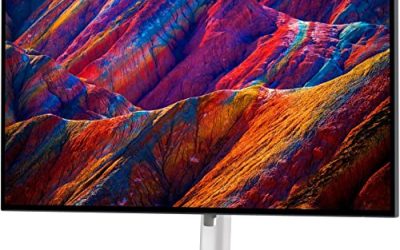
The PD2725U is the fullest stated dock in this group. Its title states a 27-inch 4K UHD IPS panel with 100% Rec.709 and sRGB coverage, 95% P3, a DeltaE of 3 or less and Pantone Validated status, which covers the design-checking side of front-end work as well as code. The connection facts are the development argument: Thunderbolt 3 with USB-C at 65W for a single-cable laptop dock, daisy chain for a second monitor, and a KVM switch for two computers sharing the desk. Text at 4K on 27 inches is the density this work asks for.
Watch out for: Renewed and overseas-locale listings of this model circulate under other codes, so confirm the live page is the new PD2725U listing described here before ordering.
ASUS ProArt Display PA279CV 27 inch 4K Monitor
- Best for: A one-laptop development desk that wants 4K text density and a single USB-C cable for picture and power.
- Panel: 27-inch 4K IPS class per captured listing record
- Connection: USB-C per captured listing record
- Power delivery: 65W class per the captured record
- Line: ASUS ProArt Display series per listing title
A one-laptop development desk that wants 4K text density and a single USB-C cable for picture and power.
This is the PA279CV, a different model from the PA279CRV in the ProArt line; confirm the model suffix on the live page matches before ordering.
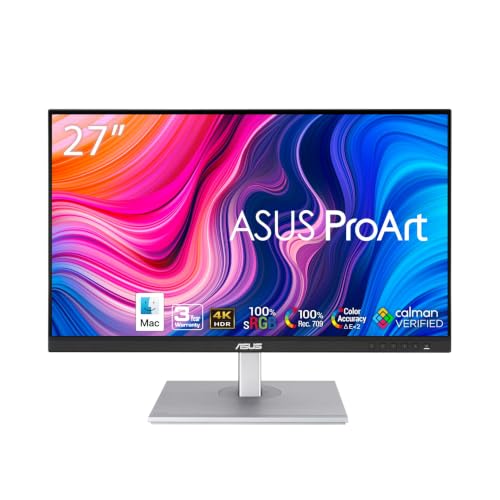
The PA279CV is the single-cable desk pick in ASUS’s ProArt line. The captured listing record states a 27-inch 4K IPS-class panel and a USB-C connection with 65W-class power delivery, which is the dock fact a laptop developer needs: one cable carries the picture to the monitor and power back to the laptop. It states less than the BenQ pick (no daisy chain or KVM figure is claimed here), and that restraint is the honest shape of its record. For a one-laptop desk that wants 4K text density and a tidy cable run, the stated facts are sufficient.
Watch out for: This is the PA279CV, a different model from the PA279CRV in the ProArt line; confirm the model suffix on the live page matches before ordering.
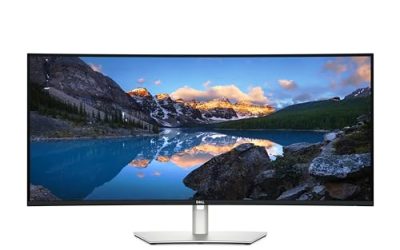
LG 34WN80C-B UltraWide 34 inch Curved WQHD
- Best for: Developers who want editor, browser and terminal on one wide panel with a single USB-C cable to the laptop.
- Panel: 34-inch 21:9 curved IPS per listing title
- Resolution: WQHD 3440 x 1440 per listing title
- Colour stated: sRGB 99% per listing title
- Connection: USB Type-C with 60W power delivery per listing title
Developers who want editor, browser and terminal on one wide panel with a single USB-C cable to the laptop.
A captured record flags stock risk on this model, so confirm a live offer exists before planning a desk around it.
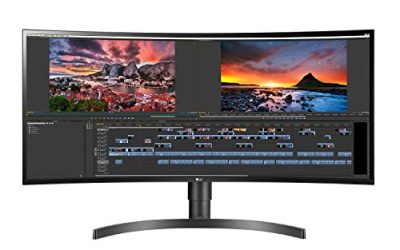
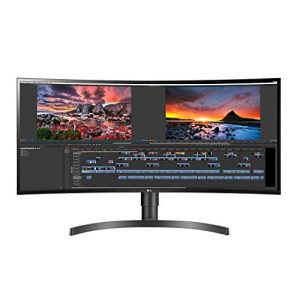
The LG is the one-panel alternative to a dual-monitor desk. Its title states a 34-inch 21:9 curved IPS panel at WQHD 3440×1440 with sRGB 99% coverage, USB Type-C with 60W power delivery, and a tilt and height adjustable stand. For development, the width is the argument: an editor, a browser with dev tools and a terminal sit side by side on one panel with no bezel gap and one cable to the laptop. It trades the 4K pair’s vertical density for horizontal room, which suits developers whose work is wide rather than tall.
Watch out for: A captured record flags stock risk on this model, so confirm a live offer exists before planning a desk around it.
Which One Fits Your Situation
A laptop-first developer docking at one desk
Take the ASUS PA279CV: its record states a 27-inch 4K panel and USB-C with 65W-class power delivery, the single-cable arrangement a docked laptop needs. One lead on the desk, the laptop charging while it drives the screen, and 4K text density for the editor are the whole of its case.
A two-computer desk with a second monitor planned
Take the BenQ PD2725U for its stated daisy chain and KVM switch, the two features that let two machines and two screens share one desk cleanly. The KVM swaps keyboard and mouse between machines, and the daisy chain keeps the second monitor off the laptop’s limited ports.
Editor, browser and terminal on a single panel
Take the LG 34WN80C-B: the stated 34-inch 21:9 panel at 3440×1440 holds the three windows across, with 60W USB-C power delivery for the laptop. It replaces a dual-screen rig for developers whose work is wide, provided live stock cooperates, which its entry’s flag tells you to confirm.
Front-end work with colour checking on the side
Take the PD2725U again, because its title states 100% sRGB coverage, 95% P3 and a DeltaE figure, the colour facts the other two listings do not state. A developer who also signs off on design work needs those stated figures rather than a panel whose colour behaviour is simply unrecorded.
Common Mistakes
- Assuming a USB-C monitor charges any laptop fully, when the stated power delivery figures here run from 60W to 65W and a hungrier laptop will still drain under load.
- Mixing up the PA279CV with the PA279CRV, which are different ProArt models whose listings and figures must not be blended.
- Buying the ultrawide expecting 4K text density, when its stated resolution is 3440×1440 spread across 34 inches and the density is lower by design.
- Planning a desk around the LG without checking live stock first, since a captured record already flags availability risk on that model.
- Expecting a listing to name your job, when no monitor listing states a profession; the fit has to be argued from panel, cable and feature facts as this guide does.
Frequently Asked Questions
Does any of these listings name web development?
No. No monitor listing states a profession, so the fit here is argued from stated facts: 4K IPS text density, USB-C or Thunderbolt single-cable docking with stated power delivery, and daisy chain or ultrawide layout features. That is the same evidence a buyer would assemble from the listings by hand.
Which picks can charge a laptop over the same cable?
All three state a power delivery figure: the BenQ states USB-C at 65W over Thunderbolt 3, the ASUS record states 65W-class USB-C delivery, and the LG states 60W over USB Type-C. Match the figure to your laptop’s draw. A laptop whose adapter is specified well above these figures may still charge slowly or drain under heavy load.
Which monitor suits two computers?
The BenQ PD2725U. Its captured facts state a KVM switch and daisy chain, the pairing that lets two machines share the screen and lets the screen drive a second monitor. The other two listings claim neither feature. For a one-machine desk that distinction carries no weight, and panel and cable facts should decide instead.
Is the ultrawide a substitute for two monitors?
For layout, largely yes: its stated 3440×1440 width holds editor, browser and terminal side by side. For text density, no: the 27-inch 4K picks state more pixels in less space, so code renders denser on them. The choice is between width and density, and your window habits, not the spec sheet, settle it.
FAQ
Does any of these listings name web development?
Which picks can charge a laptop over the same cable?
Which monitor suits two computers?
Is the ultrawide a substitute for two monitors?
More from Amazon
Programs that pair well with the guide above. Offers and eligibility are set by Amazon and may change.
Free shipping on eligible items, Prime Video and more. Eligible new members can start with a free trial.
Start a Prime free trialAd-free music streaming. Eligible new subscribers can start with a free trial.
Try Music Unlimited freeA Prime membership for ages 18-24 with a trial period. Eligibility is set by Amazon.
See Prime for Young AdultsAudiobooks and podcasts to listen to on the go. Eligible new members can start with a free trial.
Try Audible freeAs an Amazon Associate we earn from qualifying purchases.