Our Short List of 3

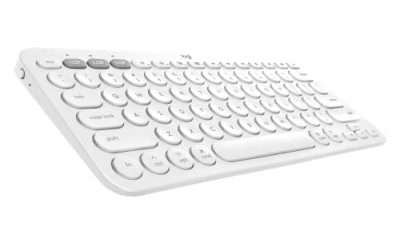
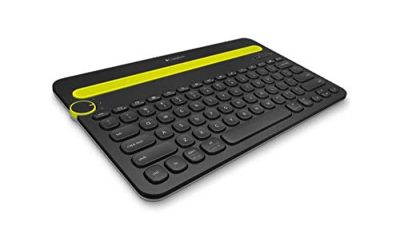
- Best all-round multi-device pick: Logitech K380 Multi-Device Bluetooth Keyboard
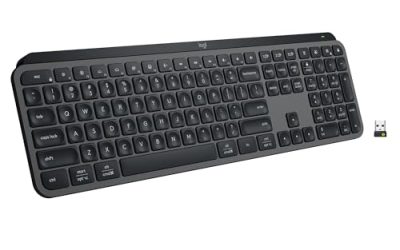
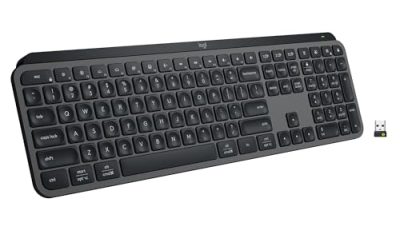
- Best compact desk keyboard: Logitech MX Keys Mini
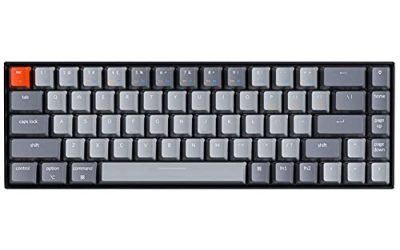
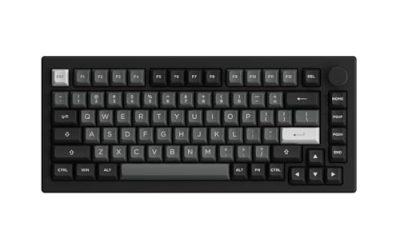
- Best mechanical Bluetooth keyboard: Keychron K2 Version 2
- Best full-size board with a device cradle: Logitech K780 Multi-Device Wireless Keyboard
All 4 Picks at a Glance
| Product | Specs | Action |
|---|---|---|
| Our Top Picks |
| Check price on Amazon |
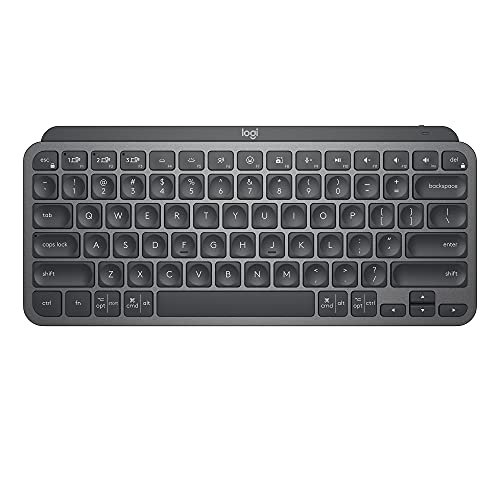 2. Logitech MX Keys Mini — Best compact desk keyboard | Check price on Amazon | |
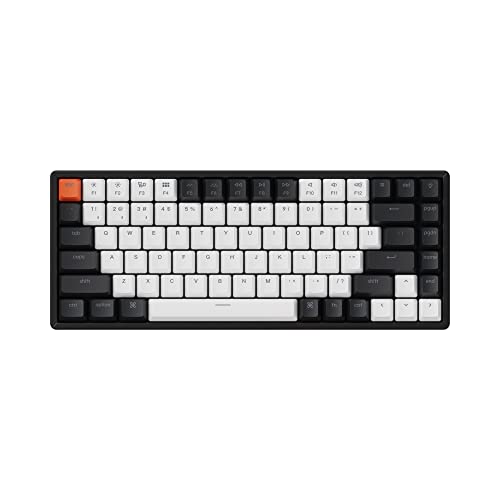 3. Keychron K2 Version 2 — Best mechanical Bluetooth keyboard | Check price on Amazon | |
 5. Arteck HB030B Universal Bluetooth Keyboard — Best slim portable keyboard for tablets | Check price on Amazon |
Our Top Picks
- Arteck Universal Backlit Wireless Bluetooth Keyboard for iPad9.72 x 0.24 x 5.91 inches0.4 poundsCheck on Amazon
As an Amazon Associate I earn from qualifying purchases.
The Short Answer
The best bluetooth keyboards pair quickly, stay connected across the devices you actually use, and feel comfortable during long typing sessions. This roundup covers boards that connect to Windows, Mac, Android, and tablets through Bluetooth, with no single platform taking over the list.
If you want one short recommendation, start with the Logitech K380 Multi-Device Bluetooth Keyboard. It is compact, pairs with up to three devices, and covers Windows, Mac, Chrome OS, Android, and iOS. The Logitech MX Keys Mini adds backlighting and a more substantial desk feel. The Keychron K2 Version 2 adds mechanical switches. The Logitech K780 adds a full-size layout and a device cradle. The Arteck HB030B adds a slim, light board for travel.
Our Top Picks
- Best all-round multi-device pick: Logitech K380 Multi-Device Bluetooth Keyboard
- Best compact desk keyboard: Logitech MX Keys Mini
- Best mechanical Bluetooth keyboard: Keychron K2 Version 2
- Best full-size board with a device cradle: Logitech K780 Multi-Device Wireless Keyboard
Quick Comparison
| Keyboard | Layout | Bluetooth connections | Backlit | Battery | Best for |
|---|---|---|---|---|---|
| Logitech K380 | Compact, no number pad | Up to 3 devices | No | 2 AAA batteries, maker states up to 2 years | Everyday typing across phone, tablet, and computer |
| Logitech MX Keys Mini | Compact, no number pad | Up to 3 devices | Yes | Rechargeable, USB-C | Long desk sessions with backlit keys |
| Keychron K2 Version 2 | 75 percent, 84 keys | Up to 3 devices, plus wired USB-C | Yes, RGB | Rechargeable, 4000mAh | Mechanical typing and customisation |
| Logitech K780 | Full size with number pad | Up to 3 devices | No | 2 AAA batteries, maker states up to 2 years | Desk use with a phone or tablet in the cradle |
| Arteck HB030B | Compact, slim | Pairs with one device at a time, confirm on the listing | Yes, 7 colours | Rechargeable, maker states up to 6 months per charge | Travel and tablet typing in low light |
How to Choose
Start with the devices you will pair
List the devices you type on most: a Windows laptop, a Mac, an Android phone, an iPad, or a tablet. All five picks list broad compatibility across Windows, Mac, Android, and iOS or iPadOS, but the details differ, so check the listing for the exact operating systems named.
The K380, the MX Keys Mini, the K2, and the K780 each connect to up to three devices and switch with a dedicated key. The Arteck HB030B is built more as a single-device travel board.
Choose a layout and size
Compact boards without a number pad, such as the K380, the MX Keys Mini, and the Arteck HB030B, leave more room on a small desk and fit easily in a bag. A 75 percent board such as the Keychron K2 keeps function keys and arrow keys in a compact frame while adding mechanical switches. A full-size board such as the K780 includes a number pad, which helps if you enter numbers often, but it takes up more desk space.
Low-profile scissor keys, found on the Logitech boards, feel close to a laptop keyboard and stay quiet. Mechanical switches, found on the Keychron K2, travel further and give a more distinct press.
Check the connection and the battery
The Keychron K2 lists Bluetooth 5.1, a newer standard than the Bluetooth 3.0 listed for the K380 and the Arteck HB030B. All of these boards are designed for typing within a normal desk or room distance, and the listing states a wireless range of up to 10 metres for the K380.
The K380 and the K780 run on two AAA batteries, and Logitech states up to two years of battery life for each, with no charging cable to remember. The MX Keys Mini, the Keychron K2, and the Arteck HB030B use rechargeable batteries, so confirm the cable type on the listing. Rechargeable boards suit a desk where a cable is always nearby.
Backlighting, cradles, and extras
Backlighting helps in dim rooms. The MX Keys Mini has backlit keys, the Keychron K2 Version 2 has RGB backlighting, and the Arteck HB030B has a seven-colour backlight with adjustable brightness. The K380 and the K780 do not have backlighting, which keeps them simpler and extends battery life. A built-in cradle is useful if you type on a phone or tablet often: the K780 has a full-width cradle that can hold a phone and a tablet at the same time.
Confirm the layout, language, and switch type
The same model name can cover more than one variant. The K380 is listed in several colours and part numbers, so confirm the exact colour and part number on the listing. The Keychron K2 Version 2 comes with different switch options, and the pick in this guide is the Keychron Super Red Switch version. Confirm on the listing for key layout, language, and switch type before buying.
The Picks in Detail
1. Logitech K380 Multi-Device Bluetooth Keyboard — Best all-round multi-device pick
Logitech K380 Multi-Device Bluetooth Keyboard
The K380 is the most general pick in this roundup, pairing with up to three devices and switching between them with its Easy-Switch keys. Logitech lists compatibility with Windows, Mac, Chrome OS, Android, iPad, iPhone, and Apple TV. It uses Bluetooth Classic 3.0, with a wireless range of up to 10 metres, and it runs on two AAA batteries, pre-installed, with Logitech stating up to two years of life.
The keys are quiet, low-profile scissor keys with a round, scooped shape. The board measures 279 by 124 by 16 millimetres and weighs 423 grams. It has no number pad and no backlighting.
Pros:
– Pairs with up to three devices and switches with dedicated keys
– Broad compatibility across Windows, Mac, Chrome OS, Android, and iOS
– Compact and light at 423 grams including batteries
Cons:
– No backlighting for dim rooms
– No number pad
– Bluetooth 3.0 is an older standard than the Bluetooth 5.1 on the Keychron K2
2. Logitech MX Keys Mini — Best compact desk keyboard
The MX Keys Mini is the desk-focused compact pick: a minimalist wireless illuminated keyboard with backlit keys, a USB-C rechargeable battery, and a metal build. The Graphite version linked here is the standard MX Keys Mini, which lists compatibility with Apple macOS, iOS, Windows, Linux, and Android. It connects over Bluetooth and pairs with up to three devices, so it works as a multi-device board in the same way as the K380, with a more substantial typing feel and backlighting added.
The keys are larger and flatter than the round keys on the K380, with a dished shape that fits the fingertips. Backlighting turns on as your hands approach the board and adjusts to the light around you. The board is compact, with no number pad, so it leaves room for a mouse on a small desk. Confirm on the listing whether the variant you want is the standard MX Keys Mini or the MX Keys Mini for Mac.
Pros:
– Backlit keys that suit dim rooms and evening work
– Compact layout with a full function row and no wasted space
– Pairs with up to three devices over Bluetooth
– USB-C rechargeable battery
Cons:
– No number pad
– Rechargeable battery needs a cable nearby, unlike the AAA-powered K380 and K780
– Heavier and less portable than the K380 and the Arteck HB030B
3. Keychron K2 Version 2 — Best mechanical Bluetooth keyboard
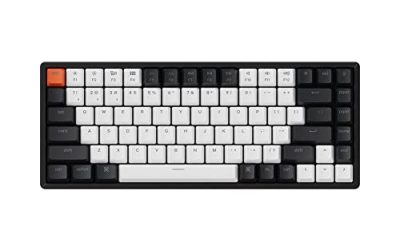
The Keychron K2 Version 2 is the mechanical pick in this roundup. It is a hot-swappable 75 percent layout keyboard with 84 keys, an aluminium frame, RGB backlighting, and Bluetooth wireless plus wired USB-C. The version linked here uses Keychron Super Red Switches, which are linear switches with a smooth press, and it connects with up to three devices over Bluetooth 5.1, with a wired USB-C mode. It lists compatibility with Mac and Windows, with a Mac and Windows layout switch on the board.
Hot-swappable means you can change the switches without soldering, and the listing states the sockets are compatible with almost all MX-style 3-pin and 5-pin mechanical switches. The board has a 4000mAh battery, and the listing states up to 72 hours of typing with the backlight on. It weighs 1.5 kilograms, so it is a desk board rather than a travel board.
Pros:
– Hot-swappable switches with no soldering needed to change them
– 75 percent layout with 84 keys, including function and arrow keys
– Bluetooth 5.1 with up to three devices, plus wired USB-C
– RGB backlighting and aluminium frame
Cons:
– Heavy at 1.5 kilograms, so it suits a desk rather than a bag
– Mechanical keys are louder and taller than the low-profile Logitech keys
– Battery life depends on backlight use, so confirm on the listing
4. Logitech K780 Multi-Device Wireless Keyboard — Best full-size board with a device cradle
Logitech K780 Multi-Device Wireless Keyboard
The K780 is the full-size pick: a multi-device wireless keyboard with a built-in cradle, a full layout including a number pad, and quiet, comfortable typing. It switches between up to three devices with dedicated Easy-Switch keys, using Bluetooth or the included pre-paired Unifying receiver, and it lists compatibility with computers, phones, and tablets. The cradle runs across the top of the board and can hold a smartphone and a large tablet at the same time.
The K780 runs on two AAA batteries, with Logitech stating up to two years of battery life, and it weighs 1.92 pounds. The White version linked here is the standard K780; a Speckles White variant is a separate listing, so confirm the colour. It is the largest and heaviest board here, so it is not a travel pick, and it has no backlighting.
Pros:
– Full-size layout with a number pad
– Built-in cradle holds a phone and a tablet at the same time
– Pairs with up to three devices over Bluetooth or the included Unifying receiver
– Long battery life from two AAA batteries, with Logitech stating up to two years
Cons:
– No backlighting
– Large and heavy at 1.92 pounds, so it suits a desk rather than travel
– No USB-C rechargeable battery, unlike the MX Keys Mini and the Keychron K2
5. Arteck HB030B Universal Bluetooth Keyboard — Best slim portable keyboard for tablets
Arteck HB030B Universal Bluetooth Keyboard
The Arteck HB030B is the portable pick. It is an ultra-light, slim Bluetooth keyboard with a seven-colour backlight, adjustable brightness, and a rechargeable battery that Arteck states lasts up to six months per charge. It lists compatibility with iOS, iPad Pro, iPad Air, iPad mini, Android, macOS, and Windows tablets, PCs, and smartphones, and it connects over Bluetooth 3.0. The board measures 9.7 by 5.9 by 0.24 inches and weighs about 0.37 pounds, which makes it the lightest and thinnest board in this roundup.
The HB030B is built for a tablet in a bag. Its stainless-steel body stays slim, its backlight helps in dim rooms, and its compact layout keeps the footprint small on a small desk. It has no number pad and no multi-device switching keys, so it suits one device at a time. Confirm on the listing that the model number is HB030B, as Arteck sells several similar-looking universal keyboards under different model numbers.
Pros:
– Very light and slim at about 0.37 pounds and 0.24 inches thick
– Seven-colour backlight with adjustable brightness
– Rechargeable battery, with Arteck stating up to six months per charge
Cons:
– Bluetooth 3.0 is an older standard than the Bluetooth 5.1 on the Keychron K2
– No multi-device switching keys for three devices
– No number pad
Who Should Choose What
- One keyboard for laptop, tablet, and phone: Choose the Logitech K380. It pairs with three devices, covers the main platforms, and runs for a long time on two AAA batteries.
- Long desk sessions with backlighting: Choose the Logitech MX Keys Mini. Its backlit keys, solid build, and compact layout suit a desk where you type for hours.
- Mechanical switches and customisation: Choose the Keychron K2 Version 2. Its hot-swappable switches, 75 percent layout, and RGB backlighting make it the most flexible board for people who like to change how a keyboard feels.
- Full-size typing with a phone or tablet in front of you: Choose the Logitech K780. Its number pad and full-width cradle suit a desk where the screen sits on the keyboard.
- Travel and tablet typing: Choose the Arteck HB030B. It is the lightest board here, with a backlight and a slim body that fits in a bag with a tablet.
Common Mistakes
Buying a wired-only board by accident. Some keyboards that look similar to the picks here are wired-only or use a USB receiver without Bluetooth. Check the listing for the word Bluetooth and for the connection type before buying.
Assuming every colour variant is the same listing. The K380, the MX Keys Mini, and the K780 each have separate listings for different colours and layouts. Confirm the colour, part number, and layout on the listing.
Ignoring the switch type on a mechanical board. The Keychron K2 comes with different switch options, and the feel changes with the switch. The pick in this guide is the Keychron Super Red Switch version. If you want a different switch, find that variant on the listing.
Expecting a compact board to feel like a full-size board. Compact boards save space by removing the number pad and shortening the layout. That is a fair trade for travel and small desks, but it takes a few days to adjust if you are used to a full-size keyboard.
Forgetting to check battery type. The K380 and the K780 run on AAA batteries. The MX Keys Mini, the K2, and the HB030B are rechargeable. If you hate charging, choose a battery board. If you hate buying batteries, choose a rechargeable board.
FAQ
Do Bluetooth keyboards work with Windows, Mac, and Android?
The boards in this roundup list broad compatibility across Windows, Mac, Android, and iOS or iPadOS, but the exact operating systems named differ by model. The K380 lists Windows, Mac, Chrome OS, Android, iPad, iPhone, and Apple TV. Confirm on the listing for your exact device and operating system version.
Can a Bluetooth keyboard connect to more than one device?
Yes, for most of the picks here. The K380, the MX Keys Mini, the Keychron K2, and the K780 each connect to up to three devices and switch between them with dedicated keys.
Is a mechanical Bluetooth keyboard better than a low-profile one?
It depends on how you like to type. Mechanical boards such as the Keychron K2 have taller keys, a more distinct press, and switches you can change. Low-profile boards such as the Logitech K380, MX Keys Mini, and K780 have shorter keys, a quieter press, and a feel closer to a laptop keyboard.
Do Bluetooth keyboards need a USB receiver?
Not always. The boards in this guide connect over Bluetooth, so they do not need a receiver for a Bluetooth connection. The K780 also includes a pre-paired Unifying receiver as an extra connection option. The other picks rely on Bluetooth alone, so confirm on the listing that your device supports Bluetooth keyboards.
How long does the battery last on a Bluetooth keyboard?
It varies by board and by use. Logitech states up to two years for the K380 and the K780 on two AAA batteries. Arteck states up to six months per charge for the HB030B. The Keychron K2 has a 4000mAh battery, with the listing stating up to 72 hours of typing with the backlight on.
What should I check before buying a Bluetooth keyboard?
Check the connection type, the layout, the battery type, the backlight, and the exact variant. Confirm the model name, the part number, the colour, and the switch type for mechanical boards on the listing.
Conclusion
The best bluetooth keyboards for a general setup are the ones that work across Windows, Mac, Android, and tablets without locking you into one platform. The Logitech K380 is the most flexible starting point, with three-device pairing and broad compatibility in a compact board. The Logitech MX Keys Mini adds backlighting and a more substantial desk feel. The Keychron K2 Version 2 adds mechanical switches and customisation. The Logitech K780 adds a full-size layout and a device cradle. The Arteck HB030B adds a slim, light, backlit board for travel and tablet typing.
Start with how you type: across three devices, at a desk for hours, with mechanical switches, with a number pad, or on the move with a tablet. Match that habit to the pick above and confirm the exact model, colour, and switch type on the listing.
FAQ
Do Bluetooth keyboards work with Windows, Mac, and Android?
Can a Bluetooth keyboard connect to more than one device?
Is a mechanical Bluetooth keyboard better than a low-profile one?
Do Bluetooth keyboards need a USB receiver?
How long does the battery last on a Bluetooth keyboard?
What should I check before buying a Bluetooth keyboard?
More from Amazon
Programs that pair well with the guide above. Offers and eligibility are set by Amazon and may change.
Free shipping on eligible items, Prime Video and more. Eligible new members can start with a free trial.
Start a Prime free trialAd-free music streaming. Eligible new subscribers can start with a free trial.
Try Music Unlimited freeA Prime membership for ages 18-24 with a trial period. Eligibility is set by Amazon.
See Prime for Young AdultsAudiobooks and podcasts to listen to on the go. Eligible new members can start with a free trial.
Try Audible freeAs an Amazon Associate we earn from qualifying purchases.