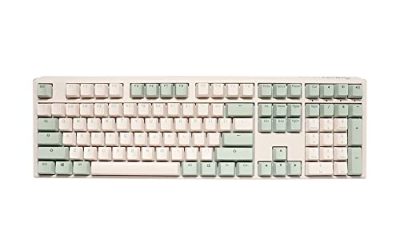
Our Short List of 3
All 4 Picks at a Glance
| Product | Specs | Action |
|---|---|---|
 Logitech: the safest all-round company | Check price on Amazon | |
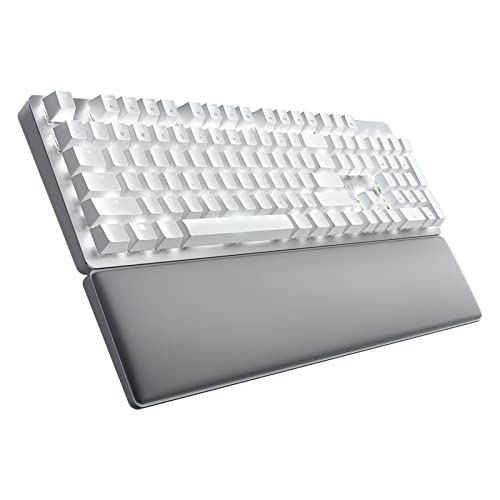 Razer: the gaming performance specialist | Check price on Amazon | |
 Keychron: the enthusiast value champion | Check price on Amazon | |
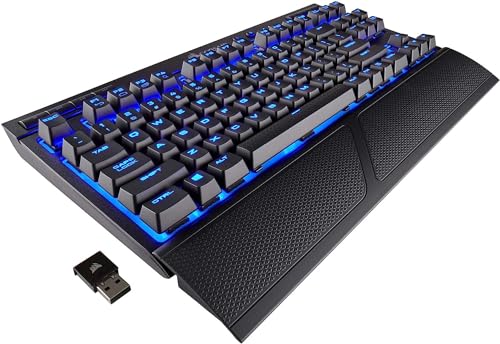 Corsair: the full gaming ecosystem play | Check price on Amazon |
Our Top Picks

As an Amazon Associate we earn from qualifying purchases.
Disclosure: This article contains affiliate links. If you buy through a link on this page, we may earn a commission at no extra cost to you. Product selections are based on published specifications and retailer listings, not on detailed research by our team.
Most keyboard guides rank individual boards. This one ranks the companies behind them, because the brand you buy from shapes far more than a single purchase. The company decides which switch technologies you can choose from, how good the configuration software is, how long spare keycaps and cables stay available, how a warranty claim is handled two years from now, and whether your next board can share the same software and receiver as the one on your desk today. A great board from a company with weak support and abandoned software is a worse long-term buy than a slightly less exciting board from a company that stands behind its whole range.
That is why the unit of ranking here is the manufacturer, not the model. Each company below is judged on the same six criteria: switch and key technology, build quality across its range, software, warranty and customer support, the breadth of its catalogue and the segment it serves best, and an honest account of its weaknesses. Where a company has a representative model with a verified product record in our research files, that model is linked as an example of what the brand does. Companies without a verified example model are still analysed in full, just without a buying link, because a brand ranking should not be distorted by which single board happened to be easiest to source.
How the companies were judged
Switch technology matters because it defines the ceiling of the range. Companies that develop their own switches or sensing systems, such as optical or magnetic actuation, can offer features like adjustable actuation points and rapid re-triggering that a brand reselling standard switches cannot match. Build quality is judged across the catalogue rather than at the flagship alone: a company whose budget boards feel as carefully assembled as its premium ones earns more trust than one whose quality collapses below the top tier. Software is scored on whether it is genuinely needed, how stable it is, and whether settings live on the board itself or depend on an account and a background process. Warranty and support are scored on published warranty length, the availability of replacement parts, and how the company handles its software over time. Finally, each brand is placed in the segment it actually serves best, because the best company for an esports player and the best company for a writer are rarely the same one.
Logitech: the safest all-round company
Logitech is the company most buyers should start with, because it is the only manufacturer on this list that is genuinely strong in every segment at once. Its Logitech G gaming line covers esports-grade wired and wireless boards, while the MX line covers professional typing and multi-device office work, and the two ranges share a mature design language, reliable wireless engineering, and the widest retail and support network of any keyboard brand. If a keyboard breaks, a Logitech replacement part, receiver, or cable is simply easier to find than anyone else’s.
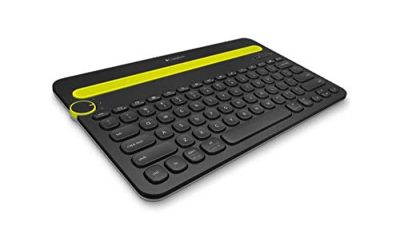
On switch technology, Logitech uses its own Romer-G heritage and, more importantly in the current range, a broad spread of low-profile mechanical, standard mechanical, and scissor mechanisms matched sensibly to each product line rather than forced everywhere. The representative example is the MX Keys S.
View the Logitech MX Keys S on Amazon
The MX Keys S shows the company’s office philosophy at its best: low-profile backlit keys, a metal top case, multi-device Bluetooth pairing, and a USB-C rechargeable battery, all configured through the Logi Options+ software. That software is one of Logitech’s real advantages. It is comparatively stable, it handles per-application shortcuts well, and the same ecosystem covers the company’s mice, so a mixed desk stays in one place. Build quality on the MX line is consistently strong, with rigid chassis and clean keycap legends that hold up over years of daily typing.
The honest weaknesses are gaming-specific. Logitech’s gaming boards are good but rarely the fastest or most customisable in their class, its software has grown heavier over the years, and the company has little interest in the enthusiast features, such as hot-swappable switches and gasket mounting, that smaller brands now treat as standard. Warranty coverage is typically one to two years depending on the line and region, which is adequate rather than generous. Verdict: choose Logitech if you want one company that can equip a gaming desk, an office, and a laptop bag without drama, and you value support and availability over enthusiast features.
Razer: the gaming performance specialist
Razer is a gaming company first, and its keyboards reflect that single-mindedness. Where Logitech spreads itself across every desk, Razer concentrates on speed, and it shows in the technology. Razer develops its own mechanical and optical switches, and its optical and analogue optical boards offer actuation behaviour, including adjustable actuation and fast re-triggering on supported models, that is aimed squarely at competitive play. Its HyperSpeed wireless is among the most trusted low-latency wireless systems in gaming, and its Chroma RGB ecosystem remains the most widely integrated lighting platform, with game and application integrations no rival matches in number.
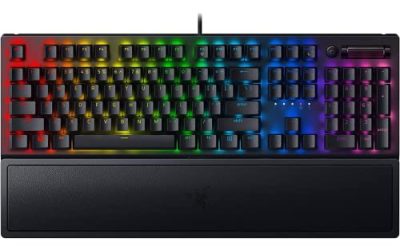
The catalogue is deep where gamers live: full-size, tenkeyless, and 60 percent boards, low-profile gaming models, and a small productivity line. The representative example here comes from that productivity corner, the Pro Type Ultra, which demonstrates that Razer’s switch and wireless engineering transfers credibly to a typing-first board.
View the Razer Pro Type Ultra on Amazon
Build quality on Razer’s current premium boards is solid, with aluminium top plates on higher models and doubleshot keycaps on much of the range. The weaknesses are equally consistent. Razer Synapse is powerful but is the most demanding and account-centric software on this list, and it is effectively mandatory to unlock the features you paid for. Pricing sits at the top of the market for equivalent specifications, and the company’s office and general-typing range is thin compared with Logitech’s. Warranty is generally two years on keyboards, which is competitive, but support experiences are more variable than the brand’s premium pricing suggests. Verdict: choose Razer if competitive gaming performance, optical switch technology, and the Chroma ecosystem are your priorities, and you accept heavyweight software as the price of admission.
Keychron: the enthusiast value champion
Keychron built its reputation by giving keyboard enthusiasts the features they wanted, hot-swappable switches, multiple layouts, Mac and Windows keycap sets in the box, and wired, Bluetooth, and 2.4 GHz connectivity on the same board, at prices the big gaming brands would not touch. It is the company that most clearly serves the person who reads switch specifications for fun, and its range runs from slim low-profile boards for travel up to heavy aluminium custom-style boards in its Q series.
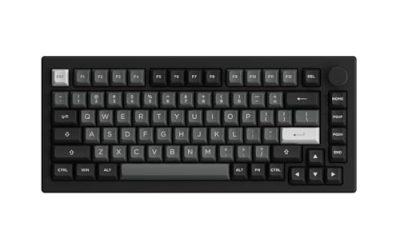
The representative example is the V1, the board that defines the company’s value proposition: a compact 75 percent layout with hot-swappable switches and enthusiast-friendly construction at an entry-level position in the range.
View the Keychron V1 on Amazon
On the judging criteria, Keychron scores highest on switch choice and customisation. Most of its boards accept standard third-party switches and keycaps, support QMK and VIA remapping on many models, and store settings on the board rather than in a mandatory cloud account, which is the opposite philosophy to Razer’s. Build quality is strong for the price, particularly in the aluminium lines, though the cheapest plastic models feel like what they cost. Software, in the form of open remapping tools and a web-based configurator on newer models, is powerful but assumes a more technical user.
The honest weakness is support infrastructure. Keychron is a much smaller company than Logitech or Razer, its warranty is typically one year, and support and returns run through a leaner operation with longer timelines. Stock of specific layouts and switch variants also comes and goes. Verdict: choose Keychron if you want customisation, switch freedom, and multi-device flexibility for your money, and you are comfortable being a slightly more self-reliant owner.
Corsair: the full gaming ecosystem play
Corsair’s pitch is integration. It sells the keyboard as one node in a complete gaming setup, and its iCUE software ties keyboard lighting and macros together with the company’s mice, headsets, fans, and cases. For a player already inside that ecosystem, a Corsair keyboard is the natural choice, because one software suite runs the whole desk. Outside the ecosystem, the case rests on the boards themselves, which are generally well built, with aluminium frames a recurring feature of the K-series line and the company’s own OPX optical switches on its performance models.
The representative example is the K63 Wireless, a tenkeyless board sold in a lapboard combination aimed at living-room and console gaming, which shows Corsair’s willingness to design for specific gaming setups rather than only for desks.
View the Corsair K63 Wireless on Amazon
Corsair scores well on build quality and on the breadth of its gaming catalogue, from optical performance boards to wireless and compact models, and its two-year typical keyboard warranty matches Razer’s. Its weaknesses mirror its strength: iCUE is a large, resource-hungry suite that makes little sense if the keyboard is your only Corsair product, the company’s non-gaming and typing-focused range is minimal, and enthusiast features such as hot-swap sockets arrived later in its range than at Keychron or Ducky. Verdict: choose Corsair if your setup already runs on iCUE or you are building a single-brand gaming desk, and you want optical switch options from a large, well-supported manufacturer.
SteelSeries: magnetic switch innovation
SteelSeries earns its place on engineering. Its Apex Pro line popularised adjustable actuation through its OmniPoint magnetic switches, letting each key’s actuation point be set in software, and its newer generation added rapid trigger behaviour aimed at competitive players. That is genuine switch innovation of the kind the criteria above reward, and it gives SteelSeries a clear technical identity rather than a catalogue of me-too boards. Its range is gaming-only, spanning full-size and compact Apex models, and its Sonar-inclusive GG software platform is lighter in spirit than Razer’s or Corsair’s suites, though it is still another platform to install.
No representative model from SteelSeries is linked in this article, because no model from the company had a verified product record in our research files at the standard this guide requires; the company is assessed on its published technology and range instead. Its weaknesses are a narrow catalogue outside gaming, premium pricing concentrated in the Apex Pro tier, and keycap and finish durability on some models that has historically lagged the asking price. Verdict: choose SteelSeries if adjustable magnetic actuation is the specific feature you are buying a company for, and you want it from the brand that pioneered it in mainstream gaming boards.
HyperX: straightforward gaming value
HyperX, now part of HP, occupies the honest middle of the gaming market. Its Alloy line offers its own HyperX mechanical switches, sturdy aluminium-bodied boards, and per-key RGB without experimental features or ecosystem lock-in, usually at prices below Razer and Corsair equivalents. The NGenuity software is simpler than its rivals, which cuts both ways: it does less, but it also demands less. Build quality on the Alloy boards is a genuine strength for the segment, and the backing of HP gives the brand distribution and warranty handling, typically two years, that a small brand cannot match.
No HyperX model is linked here for the same reason as SteelSeries: no verified product record in our files met this guide’s linking standard, so the brand is analysed without a buying link. Its weaknesses are a conservative range, with fewer layouts, fewer wireless options, and no enthusiast customisation story, and a software package that trails the field in depth. Verdict: choose HyperX if you want a well-built gaming keyboard from a large, accountable company, without paying flagship prices or joining a lighting ecosystem.
Ducky: the purist typing choice
Ducky, the Taiwanese manufacturer behind the One series, is the company keyboard purists name first. Its philosophy is the inverse of the big gaming brands: no mandatory software at all, with remapping and macros handled on the board itself, doubleshot PBT keycaps as a signature, and a focus on typing feel and build consistency over wireless features and RGB ecosystems. Its One 3 generation added hot-swappable sockets and a more refined case design while keeping the no-software stance. For writers, programmers, and anyone who plugs in a cable and expects the board to simply be excellent, Ducky’s restraint is the product.
Ducky is analysed without a buying link here, as no model had a verified record in our research files to this guide’s standard. The weaknesses follow from the philosophy: wireless options are limited, there is no polished software for those who want it, availability outside specialist retailers can be patchy, and the gaming feature set is deliberately basic. Warranty and support run through regional distributors, which varies by country. Verdict: choose Ducky if typing feel, PBT keycaps, and freedom from software matter more to you than wireless connectivity or gaming features.
ASUS ROG: premium gaming hardware ambition
ASUS Republic of Gamers brings a motherboard giant’s engineering budget to keyboards, and its recent range shows it: the ROG Azoth line introduced gasket-mounted enthusiast construction, an OLED display, and tri-mode connectivity from a major brand, while the Falchion and Strix lines cover compact and esports formats. ROG scores on build ambition and on switch options, including its own ROG NX mechanical switches, and its Armoury Crate software unifies a ROG-heavy setup the way iCUE does for Corsair.
ROG is assessed without a buying link, as no model met this guide’s verified-record standard in our files. Its weaknesses are price, since ROG keyboards sit at or above the top of the market, software that is functional but widely considered cluttered, and a range whose naming and segmentation can be hard to follow. Verdict: choose ASUS ROG if you want enthusiast-style construction and features from a major manufacturer and are already invested in the ROG ecosystem.
Redragon: the budget entry point
Every brand ranking needs its value floor, and Redragon is it. The company sells mechanical keyboards at prices the brands above do not attempt, and its long-running K552 compact board is the representative example: a tenkeyless mechanical board that has introduced a generation of buyers to mechanical switches at an entry price.
View the Redragon K552 on Amazon
Judged on the standard criteria, Redragon obviously trails on refinement: keycap quality, stabiliser tuning, and software polish are basic, and support is that of a budget brand. But on the criteria of range breadth at the low end and sheer accessibility it leads the field, and its newer models have added hot-swap sockets and wireless options that were unthinkable at this level a few years ago. Verdict: choose Redragon if the budget is the first constraint, or as a low-risk first mechanical keyboard before committing to a premium company.
Which company should you choose?
Match the company to the job. For one brand across gaming, office, and travel, Logitech is the safest answer on this page. For competitive gaming speed and optical switches, Razer leads, with SteelSeries the pick when adjustable magnetic actuation is the deciding feature. For customisation and value, Keychron stands alone. For a single-software gaming ecosystem, Corsair and ASUS ROG serve their own loyal setups. For pure typing feel without software, Ducky is the purist’s company. For solid gaming boards without flagship pricing, HyperX is the sensible middle, and for the tightest budgets, Redragon is where mechanical keyboards begin. The best company for keyboards is the one whose strengths line up with how you actually type and play, and whose weaknesses fall where you will never notice them.
FAQ
Which company should you choose?
More from Amazon
Programs that pair well with the guide above. Offers and eligibility are set by Amazon and may change.
Free shipping on eligible items, Prime Video and more. Eligible new members can start with a free trial.
Start a Prime free trialAd-free music streaming. Eligible new subscribers can start with a free trial.
Try Music Unlimited freeA Prime membership for ages 18-24 with a trial period. Eligibility is set by Amazon.
See Prime for Young AdultsAudiobooks and podcasts to listen to on the go. Eligible new members can start with a free trial.
Try Audible freeAs an Amazon Associate we earn from qualifying purchases.