Our Short List of 3
All 3 Picks at a Glance
| Product | Specs | Action |
|---|---|---|
 1. TP-Link Archer AX21 — Best Overall for a 400 Mbps Plan | Check price on Amazon | |
 2. ASUS RT-AX1800S — Best for Security and Future Mesh Expansion | Check price on Amazon | |
 3. NETGEAR R6700AX — Best Simple Pick for Everyday Use | Check price on Amazon |
Our Top Picks
- ASUS RT-AX1800S Dual Band WiFi 6 Extendable RouterRouter9.06 x 5.28 x 2.2 inches0.82 poundsCheck on Amazon
Introduction
The best routers for 400 Mbps are the ones that let a 400 Mbps internet plan reach your devices at full speed, without paying for multi-gigabit hardware you will never use. A 400 Mbps connection is fast enough for several 4K streams, large game downloads, video calls, and a house full of phones and laptops at the same time, yet it does not need a flagship router to keep up. What it does need is a router without a hidden bottleneck, and that is exactly where many buyers go wrong.
The most common mistake is buying on the headline wireless number alone. A router advertised with a large combined wireless speed can still cap your wired connection at 100 Mbps if its Ethernet ports are Fast Ethernet rather than gigabit, and a single device on a weak 2.4 GHz link will never see the full plan speed either. The right router for a 400 Mbps plan has a gigabit WAN port, gigabit LAN ports, a 5 GHz band fast enough to carry the full connection wirelessly, and enough capacity to serve several devices at once without slowing down.
This guide focuses only on that job. Every pick below is a standalone Wi-Fi router with gigabit ports and a wireless standard rated well above 400 Mbps, so each one can pass the full plan speed to a wired PC or a modern phone on 5 GHz. There are no modem-router combinations here, no mesh systems, and no range extenders, because a 400 Mbps plan does not need them. Use the buying guide to check the four things that matter, then match one of the three picks to your home.
How to Choose a Router for a 400 Mbps Plan
Start with the WAN port
The WAN port is the doorway between your modem and the rest of your network, and it sets the ceiling for everything behind it. On a 400 Mbps plan, that port must be gigabit. A 10/100 Fast Ethernet WAN port caps the whole network at 100 Mbps, which throws away three quarters of the plan before a single device connects. Every router in this guide has a gigabit WAN port, and that is the first specification to confirm on any router you consider, because it is rarely highlighted in the headline marketing. The same applies to the LAN ports: a wired PC or console needs a gigabit LAN port to use the full connection, and four gigabit LAN ports is the standard layout on the routers below.
Make sure the 5 GHz band clears 400 Mbps
Wireless speed is where the headline numbers actually matter, but only on the right band. The 2.4 GHz band is useful for range and smart home devices, yet it is crowded and rarely delivers the full 400 Mbps to a single device in a real home. The 5 GHz band is the one that should carry the full plan speed, and all three picks here are Wi-Fi 6 routers rated at 1,800 Mbps combined, with a 5 GHz band rated at 1,201 Mbps. That leaves comfortable headroom above 400 Mbps, so real-world overhead, walls, and distance do not immediately drag a wireless device below the plan speed.
Look for Wi-Fi 6 and multi-device capacity
Wi-Fi 6 matters on a 400 Mbps plan for capacity rather than raw speed. Features such as OFDMA and MU-MIMO let the router serve several devices at once instead of making each one wait its turn, which keeps video calls smooth while someone else streams and another device downloads a game update. A household with ten or twenty connected devices benefits noticeably from Wi-Fi 6, even though the plan itself is only 400 Mbps.
Match coverage to your home, not the box
Coverage claims are measured in open space, so treat them as a rough guide rather than a promise. A single well-placed router covers a typical apartment or a small to medium house, and the picks below are aimed at roughly up to 1,500 square feet each. Thick walls, multiple floors, and a router hidden in a basement cabinet all shrink real coverage. If your home is larger or has dead spots at the far end, look for a router that supports a mesh system, so you can add a matching satellite later instead of replacing the router.
Do not overbuy for the plan
The other mistake is buying too much router. A Wi-Fi 6E or Wi-Fi 7 router with a 2.5 gigabit WAN port is built for gigabit and multi-gigabit plans, and on a 400 Mbps connection its extra capacity sits idle. The money is better spent on a solid Wi-Fi 6 router with gigabit ports and good software, or kept for a future upgrade when the plan itself changes.
Remember the modem and the plan
A router cannot fix a slow modem or a plan that is not actually delivering 400 Mbps. If your connection comes through a cable modem, make sure it is rated for your plan tier, and if your provider supplied a combined modem and router, put it in bridge mode so the new router does the routing work. Test the wired speed from a PC plugged directly into the router before judging the wireless result, because that tells you whether the plan itself or the Wi-Fi is the limit.
Top Picks
1. TP-Link Archer AX21 — Best Overall for a 400 Mbps Plan
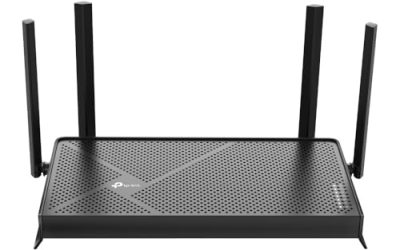
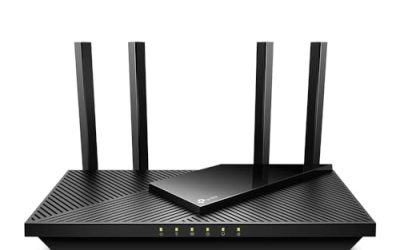
The TP-Link Archer AX21 is the most straightforward answer to a 400 Mbps plan. It is a dual-band Wi-Fi 6 router rated at AX1800, with a 5 GHz band rated at 1,201 Mbps and a 2.4 GHz band rated at 574 Mbps, so the wireless side has roughly three times the headroom the plan needs. The gigabit WAN port and four gigabit LAN ports mean a wired PC or console can use the full connection, and the four external antennas with beamforming help keep the 5 GHz signal strong in the rooms that matter.
What makes the AX21 the best overall pick is the balance of its feature set. It supports OFDMA and MU-MIMO for serving several devices at once, which suits a household where streaming, gaming, and video calls happen at the same time. It works with TP-Link OneMesh and EasyMesh, so a compatible extender or satellite can join the same network name later if coverage needs to grow. It also includes a USB port for sharing a drive or a printer on the network, parental controls, and guest network support, all managed through the Tether app or a web interface.
The AX21 suits a family home or a shared apartment where the router sits in a central spot and serves a mix of wired and wireless devices. Its four antennas are fixed in a familiar flat layout, and setup walks through the connection type and Wi-Fi names without assuming networking knowledge. There is no dedicated gaming prioritization engine here, so a household built around competitive online play may prefer a router with stronger traffic controls, but for general use on a 400 Mbps plan the AX21 covers every requirement without waste.
Key specifications: dual-band Wi-Fi 6, AX1800 combined wireless speed, 5 GHz band rated at 1,201 Mbps, 2.4 GHz band rated at 574 Mbps, one gigabit WAN port, four gigabit LAN ports, four external antennas, OFDMA and MU-MIMO, OneMesh and EasyMesh support, one USB port, parental controls, guest network.
Check the TP-Link Archer AX21 on Amazon
2. ASUS RT-AX1800S — Best for Security and Future Mesh Expansion
The ASUS RT-AX1800S is the pick for buyers who want the same 400 Mbps capability with stronger built-in security and a clear path to a mesh network. It is also a dual-band Wi-Fi 6 router rated at AX1800, with the same 1,201 Mbps 5 GHz band and 574 Mbps 2.4 GHz band, a gigabit WAN port, and four gigabit LAN ports. On speed alone it matches the AX21, so the choice between them comes down to software and expansion rather than throughput.
Its advantage is the ASUS software package. AiProtection Classic provides network security and parental controls without a subscription, which is a genuine difference on a router at this level, where security features are often locked behind a paid plan. The router also supports AiMesh, so a second ASUS AiMesh router can be added as a satellite to extend coverage under one network name. The ASUS Router app handles setup, device management, and guest networks, and the router supports VPN use and WPA3 security.
The RT-AX1800S suits a household that wants to set the router up once and leave it running with sensible security defaults, or a home where coverage may need to grow later. Its four external antennas and compact body fit easily on a shelf or desk, and the dual-core processor handles the routing work for a 400 Mbps connection without strain.
Key specifications: dual-band Wi-Fi 6, AX1800 combined wireless speed, 5 GHz band rated at 1,201 Mbps, 2.4 GHz band rated at 574 Mbps, one gigabit WAN port, four gigabit LAN ports, four external antennas, dual-core processor, AiMesh support, AiProtection Classic network security without a subscription, parental controls, built-in VPN support, WPA3 security.
Check the ASUS RT-AX1800S on Amazon
3. NETGEAR R6700AX — Best Simple Pick for Everyday Use
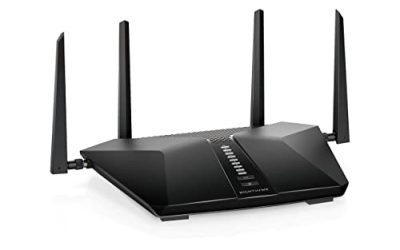
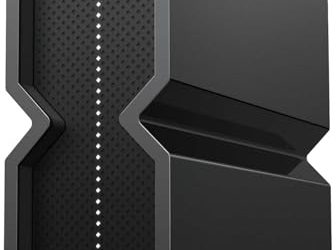
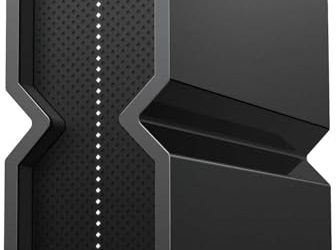
The NETGEAR R6700AX is the simplest pick of the three, and simplicity is a real virtue on a 400 Mbps plan. It is a four-stream dual-band Wi-Fi 6 router rated at AX1800, with a 5 GHz band rated at 1,201 Mbps and a 2.4 GHz band rated at 574 Mbps, a gigabit WAN port, and gigabit LAN ports. NETGEAR rates its coverage at up to 1,500 square feet and its device capacity at around 20 devices, which matches a typical family home without overstating the case.
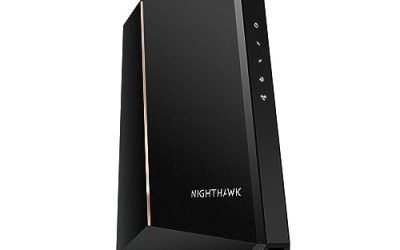
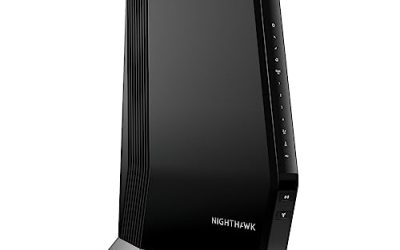
The R6700AX is built around the Nighthawk app, which handles setup, device lists, and basic controls from a phone, and the router itself has a straightforward upright design with four external antennas. It supports OFDMA and MU-MIMO, so several devices can stream, browse, and call at once, and it includes the security features NETGEAR bundles with the router. There is no USB port and no mesh expansion system in the same class as the other two picks, so it is best for a home where one router in a central position already covers the space.
Choose the R6700AX if you want to unbox the router, run the app setup, and forget about it. It delivers the full 400 Mbps over a wired connection and over 5 GHz wireless in the same room, and it handles the ordinary mix of phones, laptops, TVs, and consoles without fuss.
Key specifications: dual-band Wi-Fi 6, four-stream AX1800 combined wireless speed, 5 GHz band rated at 1,201 Mbps, 2.4 GHz band rated at 574 Mbps, one gigabit WAN port, gigabit LAN ports, four external antennas, coverage rated up to 1,500 square feet, capacity rated around 20 devices, OFDMA and MU-MIMO, Nighthawk app setup and management.
Check the NETGEAR R6700AX on Amazon
Comparison Table
| Router | Wi-Fi Standard | Combined Wireless Speed | 5 GHz Band | WAN Port | LAN Ports | Best For |
|---|---|---|---|---|---|---|
| TP-Link Archer AX21 | Wi-Fi 6 | AX1800 | 1,201 Mbps | Gigabit | 4 x Gigabit | Best overall for a 400 Mbps plan |
| ASUS RT-AX1800S | Wi-Fi 6 | AX1800 | 1,201 Mbps | Gigabit | 4 x Gigabit | Security and mesh expansion |
| NETGEAR R6700AX | Wi-Fi 6 | AX1800 | 1,201 Mbps | Gigabit | Gigabit | Simple everyday use |
All three routers share the same core formula for a 400 Mbps plan: Wi-Fi 6, an AX1800 rating, a 1,201 Mbps 5 GHz band, and a gigabit WAN port. The differences are in software and expansion. The Archer AX21 adds a USB port and EasyMesh support, the RT-AX1800S adds subscription-free security and AiMesh, and the R6700AX keeps things simple with the Nighthawk app. None of them needs a multi-gigabit port or a higher wireless rating to serve a 400 Mbps connection well.
Frequently Asked Questions
What speed router do I need for 400 Mbps internet?
You need a router with a gigabit WAN port, gigabit LAN ports, and a 5 GHz wireless band rated well above 400 Mbps. A Wi-Fi 6 router rated at AX1800, with a 5 GHz band rated at 1,201 Mbps, clears that bar comfortably. The gigabit WAN port is the critical part, because a 100 Mbps WAN port would cap the whole network at 100 Mbps no matter how fast the wireless radio is. Avoid routers with Fast Ethernet ports, and avoid paying for multi-gigabit ports unless your plan is faster than gigabit.
Is Wi-Fi 6 enough for a 400 Mbps plan?
Yes. Wi-Fi 6 is more than enough for a 400 Mbps plan, and it is the sensible standard to buy at this tier. The wireless rating of an AX1800 router is roughly four times the plan speed on the combined bands, and the 5 GHz band alone is rated at three times the plan speed, which leaves room for real-world overhead. Wi-Fi 6 also brings OFDMA and MU-MIMO, which help when many devices are online at once. Wi-Fi 6E and Wi-Fi 7 add capacity for gigabit plans, but they do not make a 400 Mbps connection any faster.
Why is my 400 Mbps internet slow on Wi-Fi?
The usual causes are the wrong band, distance, or a bottleneck upstream of the router. First, test with a PC wired directly to the router: if that shows the full plan speed, the connection is fine and the issue is wireless. Next, connect to the 5 GHz band rather than 2.4 GHz, move closer to the router, and check whether another device is downloading a large update. If the wired test is also slow, check the modem, restart both the modem and the router, and confirm with your provider that the plan is provisioned at 400 Mbps.
Do I need a modem-router combination for a 400 Mbps plan?
No, and a standalone router is usually the better choice. A separate modem and a standalone router let you upgrade each part independently, and a standalone router gives you more control over Wi-Fi settings, security, and device management. Modem-router combinations are convenient when your provider supplies one, but they often have weaker Wi-Fi and fewer features than a dedicated router at a similar level. If your provider supplied a combined unit, you can usually put it in bridge mode and connect one of the routers in this guide behind it.
Can one router cover a whole house on a 400 Mbps plan?
It depends on the size and layout of the house. A single router covers a typical apartment or a small to medium house, and the picks in this guide are rated for roughly that range. Thick walls, multiple floors, and a router tucked in a corner all reduce coverage. Place the router centrally, high up, and away from thick obstacles, and use the 5 GHz band near the router and the 2.4 GHz band further away. If far rooms still struggle, add a mesh satellite compatible with your router rather than buying a faster router, because the problem is coverage, not plan speed.
Conclusion
The best routers for 400 Mbps are the ones that match the plan instead of overshooting it: a gigabit WAN port, gigabit LAN ports, a fast 5 GHz band, and Wi-Fi 6 capacity for a house full of devices. The TP-Link Archer AX21 is the best overall pick, with a USB port and mesh expansion alongside its strong all-round performance. The ASUS RT-AX1800S is the pick for buyers who value subscription-free security and AiMesh expansion. The NETGEAR R6700AX is the simplest route to the full plan speed for a smaller home. Any of the three will deliver the full 400 Mbps over a wired connection and over 5 GHz wireless nearby, so choose on the features and coverage that fit your home, place the router centrally, and test the wired speed first to confirm the plan itself is delivering what you pay for.
Disclosure: As an Amazon Associate, we earn from qualifying purchases.
FAQ
What speed router do I need for 400 Mbps internet?
Is Wi-Fi 6 enough for a 400 Mbps plan?
Why is my 400 Mbps internet slow on Wi-Fi?
Do I need a modem-router combination for a 400 Mbps plan?
Can one router cover a whole house on a 400 Mbps plan?
More from Amazon
Programs that pair well with the guide above. Offers and eligibility are set by Amazon and may change.
Free shipping on eligible items, Prime Video and more. Eligible new members can start with a free trial.
Start a Prime free trialAd-free music streaming. Eligible new subscribers can start with a free trial.
Try Music Unlimited freeA Prime membership for ages 18-24 with a trial period. Eligibility is set by Amazon.
See Prime for Young AdultsAudiobooks and podcasts to listen to on the go. Eligible new members can start with a free trial.
Try Audible freeAs an Amazon Associate we earn from qualifying purchases.