Our Short List of 3

- Best for: Players who want WiFi 6E and a dedicated gaming port in one router.
- Tri-Band AXE5400 Wi-Fi 6E gaming router
- 6-stream wireless at 5.4 Gbps
- 1x 2.5G port plus 4x 1G ports
- USB 3.0 port

- Best for: Larger homes where one router must cover gaming, streaming, and work.
- AX5400 dual-band WiFi 6 router
- 6 high-performance antennas
- 1.5 GHz triple-core CPU
- OFDMA and MU-MIMO

- Best for: Players who want detailed traffic controls and mesh expansion later.
- AX3000 dual-band WiFi 6 router
- 2402 Mbps on 5 GHz plus 574 Mbps on 2.4 GHz
- Adaptive QoS traffic prioritization
- 160 MHz channels
All 5 Picks at a Glance
| Product | Specs | Action |
|---|---|---|
| TP-Link Archer GXE75 |
| Check price on Amazon |
| TP-Link Archer AX73 |
| Check price on Amazon |
| ASUS RT-AX58U |
| Check price on Amazon |
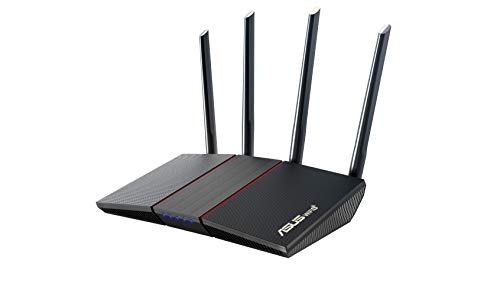 ASUS RT-AX55 |
| Check price on Amazon |
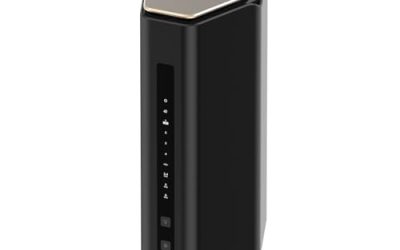
 NETGEAR Nighthawk RAX43 |
| Check price on Amazon |
Key takeaways
- Five gaming routers that keep ping steady in a busy home: WiFi 6 and WiFi 6E picks with gaming ports, traffic prioritization, and mesh support.
A gaming router earns its place when it keeps your connection steady at the exact moment a match turns tense. The real decision is not raw speed on a box, but whether the router can protect game traffic while the rest of the house streams, downloads, and video-calls at the same time. A weak router lets that background traffic steal priority, and the result shows up as rubber-banding, delayed shots, and voice chat that cuts out mid-sentence.
This guide is for PC and console players who share a home network, renters who cannot run new cabling, and anyone upgrading from the router an internet provider supplied. Each pick below comes from the name and specifications on its Amazon listing, with a focus on traffic prioritization, wired ports, and wireless standards that hold up in a busy household.
Quick Picks
As an Amazon Associate we earn from qualifying purchases
| Product | Best for | Key spec from title |
|---|---|---|
| TP-Link Archer GXE75 | WiFi 6E gaming with a dedicated gaming port | Tri-Band AXE5400 Wi-Fi 6E Gaming Router |
| TP-Link Archer AX73 | Large homes needing strong AX5400 coverage | AX5400 WiFi 6 Router, Dual Band Gigabit |
| ASUS RT-AX58U | Gaming traffic control on a mid-tier budget | AX3000 Dual Band WiFi 6 Router |
| ASUS RT-AX55 | Small spaces and first gaming router upgrades | AX1800 Dual Band WiFi 6 Gigabit Router |
| NETGEAR Nighthawk RAX43 | Multi-device homes with heavy streaming | AX4200 WiFi 6 Router, 5-Stream Dual-Band |
How to Choose
Traffic prioritization comes first
Gaming traffic is small but impatient, so a router that cannot sort it will always feel slow during a busy evening. Look for a named quality-of-service system such as Adaptive QoS, Game Accelerator, or Dynamic QoS, and check whether it lets you mark a console or PC as the top device. A dedicated gaming port adds a simple shortcut, since anything plugged into it jumps the queue without extra setup. Avoid routers that only mention speed in their headline, because a fast connection with no prioritization still stutters when someone starts a large download. The picks in this guide all name a traffic system on the listing, so you can compare them on that feature instead of guessing.
Match the wireless standard to your devices
WiFi 6 is the baseline for a gaming router in this tier, and WiFi 6E adds a 6 GHz band that stays clear of older devices crowding the bands. Check what your PC, console, and phone support before paying for a band none of them can use. A tri-band router spreads traffic across three bands, which helps when several people play, stream, and call at once, while a dual-band model can serve a smaller household well. Antenna count and stream count matter more than a headline speed figure, because they decide how many devices hold a stable link at the same time. Match the standard to the hardware you own today, not hardware you might own in two years.
Count the wired ports before you buy
Wireless play is convenient, yet a cable remains the most reliable way to keep latency low during a match. Count the Ethernet ports on the back of each router and compare that number with the devices you want wired: a gaming PC, a console, and perhaps a streaming box already fill three. A 2.5G port earns its keep when your internet plan or a fast local network can use it, but it adds little if every device behind it runs at gigabit speed. USB ports matter too, since they let you share a drive or a printer without a second device. Sketch your desk layout, then choose a router with one spare wired port beyond what you need today.
Range, mesh, and the shape of your home
A router that covers a studio apartment will not necessarily cover a two-floor house with thick walls, so measure your space in rooms rather than trusting a coverage claim alone. Mesh support lets you add a second node later instead of replacing the router, which suits renters and growing households. Place the router high, central, and clear of metal shelving, because even the best antennas struggle behind a fish tank or a mirrored cabinet. If your gaming spot sits two rooms away, favor models with more antennas and stronger stream counts. When in doubt, pick the router with mesh support, since it gives you a cheap upgrade path later.
The 5 Best Options
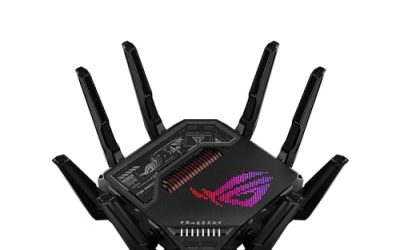
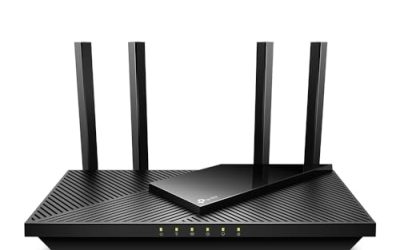
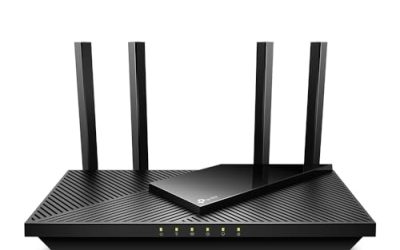
TP-Link Archer GXE75
- Best for: Players who want WiFi 6E and a dedicated gaming port in one router.
- Tri-Band AXE5400 Wi-Fi 6E gaming router
- 6-stream wireless at 5.4 Gbps
- 1x 2.5G port plus 4x 1G ports
- USB 3.0 port
Players who want WiFi 6E and a dedicated gaming port in one router.
Confirm it is still sold before buying, and check that your devices support the 6 GHz band before counting on it.
The GXE75 is the most clearly gaming-focused router in this group, and its tri-band WiFi 6E design gives game traffic a 6 GHz band with far less congestion than the bands your neighbors use. A dedicated gaming port puts a wired PC or console first in line, while the gaming panel gathers the settings that matter into one screen. RGB lighting will suit a desk setup that already leans into that look, and EasyMesh support leaves room to extend coverage later. This is the pick for a player who wants modern wireless and a router that openly treats gaming as its main job.
Watch out for: Confirm it is still sold before buying, and check that your devices support the 6 GHz band before counting on it.
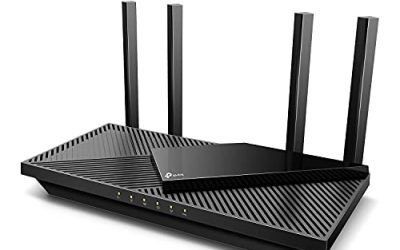
TP-Link Archer AX73
- Best for: Larger homes where one router must cover gaming, streaming, and work.
- AX5400 dual-band WiFi 6 router
- 6 high-performance antennas
- 1.5 GHz triple-core CPU
- OFDMA and MU-MIMO
Larger homes where one router must cover gaming, streaming, and work.
Confirm it is still sold before buying; its dual-band design has no 6 GHz band for newer devices.
The AX73 trades the 6 GHz band for six antennas and a strong dual-band AX5400 design that covers a larger home without fuss. Its Game Accelerator mode gives gaming packets priority over downloads and streams, and the triple-core processor keeps that sorting fast when many devices connect at once. HomeShield adds parental controls and security tools without a separate subscription for the basics. This is the pick for a busy household where the router must serve players, streamers, and remote workers from one box.
Watch out for: Confirm it is still sold before buying; its dual-band design has no 6 GHz band for newer devices.
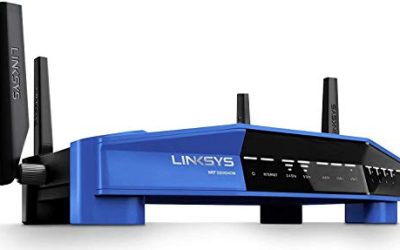
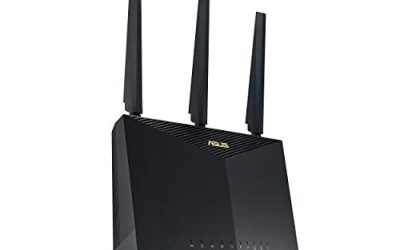
ASUS RT-AX58U
- Best for: Players who want detailed traffic controls and mesh expansion later.
- AX3000 dual-band WiFi 6 router
- 2402 Mbps on 5 GHz plus 574 Mbps on 2.4 GHz
- Adaptive QoS traffic prioritization
- 160 MHz channels
Players who want detailed traffic controls and mesh expansion later.
Confirm it is still sold before buying, and check the exact revision on the listing before ordering.
The RT-AX58U is the control panel pick of this group, built around Adaptive QoS that lets you tell the router gaming traffic comes first. Its AX3000 WiFi 6 design suits a medium home, and the 160 MHz channels give the 5 GHz band extra breathing room when the airwaves are crowded. AiMesh support means a second ASUS router can join later as a mesh node instead of forcing a full replacement. This is the pick for a player who enjoys tuning network settings and wants security tools included without an extra subscription.
Watch out for: Confirm it is still sold before buying, and check the exact revision on the listing before ordering.
ASUS RT-AX55
- Best for: Smaller homes buying their first gaming-ready router.
- AX1800 dual-band WiFi 6 router
- MU-MIMO and OFDMA
- 4 gigabit LAN ports
- Lifetime internet security
Smaller homes buying their first gaming-ready router.
Confirm it is still sold before buying; AX1800 speeds suit lighter households better than crowded ones.
The RT-AX55 is the simplest entry point here, a compact AX1800 WiFi 6 router that covers the essentials without a wall of settings to learn. Its four gigabit LAN ports wire a PC and a console with room to spare, while MU-MIMO and OFDMA keep several devices moving at once. Lifetime internet security and parental controls come included, and AiMesh support leaves a mesh upgrade open if you move to a bigger place. This is the pick for a first gaming router in a smaller home.
Watch out for: Confirm it is still sold before buying; AX1800 speeds suit lighter households better than crowded ones.
NETGEAR Nighthawk RAX43
- Best for: Family homes where gaming, streaming, and smart devices share one network.
- AX4200 dual-band WiFi 6 router
- 5-stream wireless at up to 4.2 Gbps
- Covers up to 2,500 sq. ft. and 25 devices
- 4 gigabit LAN ports and USB 3.0
Family homes where gaming, streaming, and smart devices share one network.
Confirm it is still sold before buying, and match the listing exactly, since a renewed version circulates under a separate code.
The RAX43 brings the Nighthawk line down to this tier with five WiFi streams and AX4200 wireless that keeps several devices streaming and playing at once. Four gigabit LAN ports plus a USB 3.0 port cover wired consoles and shared storage, while the Nighthawk app keeps setup and guest networks simple. NETGEAR Armor adds a security layer for the household, and the four external antennas aim for steady coverage across a medium home. This is the pick for a family home where gaming shares the network with everyone else.
Watch out for: Confirm it is still sold before buying, and match the listing exactly, since a renewed version circulates under a separate code.
Which One Fits Your Situation
You play competitively on a wired PC
Pick the Archer GXE75 and plug your PC into its dedicated gaming port, so your traffic jumps ahead of every download in the house. The 2.5G port also keeps a fast wired link ready if your plan supports it. If your setup already leans on WiFi 6E gear, the 6 GHz band adds a quiet lane for wireless play as well.
Your whole household shares one router
Pick the Archer AX73, whose six antennas and AX5400 design hold a stable link across more rooms, while Game Accelerator keeps your match ahead of streams and downloads. The 200-plus device capacity also suits a home full of phones, TVs, and smart gear. Add a cable for your main rig and let wireless handle the rest.
You want control over every setting
Pick the RT-AX58U and use Adaptive QoS to put gaming first, then shape the rest of the network around it. Its web interface rewards an owner who likes control, and AiMesh support means you can extend coverage later without starting over. This suits a player who treats the router as part of the rig, not an afterthought.
You need a first upgrade on a tight budget
Pick the RT-AX55 if your space is small and your device count is modest, since its AX1800 design covers the basics and its four wired ports handle a PC and console. If the house is busier, step up to the RAX43 for five streams and wider device support. Either way, wire your main gaming device first.
Common Mistakes
- Buying for headline speed while ignoring traffic prioritization, then wondering why matches stutter every evening.
- Placing the router behind a TV cabinet or on the floor, where furniture and metal block the signal to your gaming spot.
- Choosing a tri-band router when none of your devices support the extra band, and paying for capacity you cannot use.
- Forgetting to count wired ports, then discovering the PC, console, and streaming box need one more than the router has.
- Skipping the check that the listing matches the exact model and condition, since renewed and regional versions circulate under different codes.
Frequently Asked Questions
Do I need WiFi 6E for gaming?
Not always. WiFi 6E adds a 6 GHz band that stays clear of crowded traffic, which helps in apartments where many networks overlap. If your PC and console only support WiFi 6, a strong WiFi 6 router with good prioritization will serve you better than a WiFi 6E model your devices cannot use. Check your hardware first, then choose the standard that matches it.
Is a wired connection still better than wireless?
Yes, for competitive play a cable gives the most stable latency, because it avoids interference from walls, neighbors, and other devices. Wireless has improved enough for casual play, especially on a clear 5 GHz or 6 GHz band close to the router. If you can run a cable to your main rig, do that first, and keep wireless for handhelds, phones, and secondary devices.
What does a gaming port actually do?
A gaming port is a wired port with priority built in, so any device plugged into it gets its traffic handled before other devices on the network. It removes the need to open settings and build QoS rules by hand. The benefit shows most when someone else starts a download mid-match, since your game keeps its lane while the rest of the house waits.
Can one router cover a two-floor house?
It depends on the walls and where the router sits. A single strong router can cover two floors when placed centrally and high, but thick walls and metal ducts cut the signal fast. Mesh support is the practical answer here, since you can add a node on the far floor later. Start with one router, test your gaming spot, and extend only if the link drops.
FAQ
Do I need WiFi 6E for gaming?
Is a wired connection still better than wireless?
What does a gaming port actually do?
Can one router cover a two-floor house?
More from Amazon
Programs that pair well with the guide above. Offers and eligibility are set by Amazon and may change.
Free shipping on eligible items, Prime Video and more. Eligible new members can start with a free trial.
Start a Prime free trialAd-free music streaming. Eligible new subscribers can start with a free trial.
Try Music Unlimited freeA Prime membership for ages 18-24 with a trial period. Eligibility is set by Amazon.
See Prime for Young AdultsAudiobooks and podcasts to listen to on the go. Eligible new members can start with a free trial.
Try Audible freeAs an Amazon Associate we earn from qualifying purchases.