Our Short List of 3
All 5 Picks at a Glance
| Product | Specs | Action |
|---|---|---|
 NETGEAR Nighthawk RS600 | Check price on Amazon | |
 NETGEAR Nighthawk RS500 | Check price on Amazon | |
 Reyee RG-E5 | Check price on Amazon | |
 ASUS RT-BE92U | Check price on Amazon | |
 TP-Link Archer BE800 | Check price on Amazon |
Key takeaways
- Five single-unit long range routers for large homes, compared on each maker's published coverage figure, antenna design, beamforming and wired ports alike.
As an Amazon Associate, we earn from qualifying purchases made through links on this page.
A big house exposes the limits of an ordinary router faster than any speed test can. The rooms near the router get full signal, the far bedroom drops to one bar, and the back office loses its connection every time someone closes a door. The usual fix sold for this problem is a multi-node mesh kit, but a mesh kit is not the only answer. A single router with a serious antenna array, high-power amplifiers and beamforming can cover a large home on its own, and it keeps the network simple: one box, one set of settings, no nodes to place and no backhaul band eating into capacity.
This guide covers five single-unit routers chosen for reach. Every pick is a standalone router, not a mesh kit, and every pick was selected on range hardware that its maker documents: a published coverage figure in square feet, the antenna layout, and the focusing features that push signal toward distant rooms. Coverage figures below are the manufacturers’ own published numbers, measured under each maker’s own conditions, so treat them as a way to compare models within a brand’s lineup and as a rough guide across brands, not as a promise for your floor plan. Brick, concrete, metal ducting and floors between levels all shrink real coverage, and no single box beats physics. If your home is very large or split across awkward levels, a mesh system may still be the right tool; the five routers here are for homes where one strong, centrally placed unit can plausibly do the job.
What to look for in a long range router
The published coverage figure, and what sits behind it. Makers express coverage as a maximum area in square feet. The number is produced under the maker’s own conditions, typically in open space, so the useful comparison is relative: a model published at 3,300 square feet has more reach headroom than one published at 2,000. Look past the headline number to the hardware behind it. More antenna elements, high-power front-end amplifiers and an antenna array designed for full-circle coverage are what produce the figure, and they matter more than the number alone.
Beamforming and the 2.4 GHz band. Beamforming focuses the signal toward a connected device instead of broadcasting equally in all directions, which helps most at the edge of coverage. For pure distance, the 2.4 GHz band travels farther and passes through walls better than 5 GHz or 6 GHz, so a router with a strong 2.4 GHz radio, multiple streams and amplifier support on that band will hold distant smart home gear, cameras and older devices long after the faster bands fade. Judge a long range router by its slowest band, not its fastest.
Antenna design you can work with. External antennas can be repositioned to suit the house, and high-gain designs push signal farther on the horizontal plane, which suits single-story homes. Internal arrays in tower-style bodies aim for even coverage in every direction and look tidier, but you cannot adjust them. Either way, placement is half the result: a central, elevated spot away from metal and masonry gives any of these routers a better chance than a corner of the basement.
Headroom for many devices. Large homes accumulate devices: phones, laptops, televisions, consoles, cameras, plugs and bulbs. Makers publish a maximum device count for each model, and Wi-Fi 6 and Wi-Fi 7 features such as OFDMA and MU-MIMO keep many simultaneous connections orderly. A router that runs out of capacity will feel short-ranged even where the signal is strong, because distant devices lose their contention battles first.
Wired ports and an expansion path. A long range router often anchors a busy network, so multi-gig ports matter if your internet plan or a home server can use them. Several picks below can also join their maker’s mesh ecosystem later (AiMesh, EasyMesh or Reyee Mesh) if one room still refuses to connect, which is a cheaper fix than replacing the router. That expansion support is a bonus, though; each pick here is judged as a single unit.
NETGEAR Nighthawk RS600
See the NETGEAR Nighthawk RS600 on Amazon
The RS600 is NETGEAR’s reach-focused Wi-Fi 7 router below its flagship tier. NETGEAR publishes coverage of up to 3,300 square feet from an eight-antenna array built into the tower body, with capacity for up to 150 devices. It is a tri-band Wi-Fi 7 model with combined speeds of up to 18 Gbps across its 2.4 GHz, 5 GHz and 6 GHz radios, and the 6 GHz band gives newer phones and laptops a clear lane near the router while the amplified lower bands carry the far rooms. Wired connections are strong for a home anchor: one 10 Gig internet port, one 10 Gig LAN port and three Gigabit LAN ports per NETGEAR’s listing.
Who it fits: households in homes around the published coverage figure that want one box to handle gaming, streaming and a large smart home device count, with multi-gig wired headroom for a fast fiber plan or a NAS.
Limits from the spec sheet: the antennas are internal and fixed, so you cannot reposition them for a stubborn direction; the coverage figure is NETGEAR’s maximum under its own conditions, and multi-story homes with dense construction should expect less; the 6 GHz band that carries its headline speed has the shortest reach of the three bands, so distant rooms will live on 2.4 GHz and 5 GHz.
NETGEAR Nighthawk RS500
See the NETGEAR Nighthawk RS500 on Amazon
The RS500 steps down one tier and keeps most of the range hardware. NETGEAR publishes coverage of up to 3,000 square feet from a six-antenna array, with capacity for up to 120 devices. It is a tri-band Wi-Fi 7 router with combined speeds of up to 12 Gbps, so it keeps the 6 GHz band for nearby high-demand devices while its 2.4 GHz and 5 GHz radios handle distance. Its internet port runs at 2.5 Gig, which matches the multi-gig plans most large homes can actually buy, and the remaining wired ports are Gigabit.
Who it fits: large homes on cable or fiber plans up to the 2.5 Gig port’s ceiling, where the published 3,000 square foot figure matches the floor plan and the household does not need 10 Gig wired networking.
Limits from the spec sheet: the wired ceiling is lower than the RS600’s, so a faster-than-2.5 Gig plan or a 10 Gig home network outgrows it; the antenna array has two fewer elements than the RS600’s, reflected in the smaller published coverage figure; as with every pick here, the coverage number is a maker maximum, not a measured result in your walls.
Reyee RG-E5
The RG-E5 takes the opposite design route from the tower models above: eight external omnidirectional antennas you can angle yourself, backed by four-plus-four high-power FEM amplifiers. Reyee publishes coverage of up to 3,000 square feet with beamforming, the joint-highest figure in this guide alongside the RS500, from a dual-band Wi-Fi 6 router. Speeds are AX3200 class, split as 800 Mbps on 2.4 GHz and 2,402 Mbps on 5 GHz, with OFDMA and MU-MIMO support and a published capacity of up to 128 devices. Wired ports are Gigabit throughout, and the router can join a Reyee Mesh network later if a second unit is ever needed.
Who it fits: owners of wide, single-story homes who want adjustable external antennas and amplifier-backed reach, and whose devices and internet plan do not need Wi-Fi 7 or a 6 GHz band.
Limits from the spec sheet: there is no 6 GHz band and no Wi-Fi 7 feature set, so nearby peak speeds trail the newer models here; Reyee’s own listing Q&A notes the router does not support WPA3 at present, which matters if your security policy requires it; every wired port is Gigabit, capping wired transfers and any internet plan faster than a gigabit.
ASUS RT-BE92U
See the ASUS RT-BE92U on Amazon
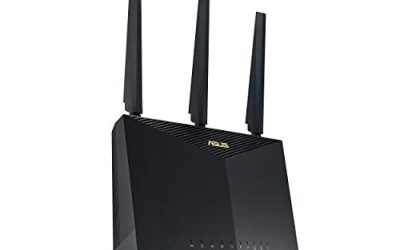
ASUS publishes coverage of up to 2,750 square feet for the RT-BE92U, produced by four external antennas plus one extra internal antenna and ASUS RF technology using seven high-power front-end modules to push signal into weak spots. It is a tri-band Wi-Fi 7 router with speeds up to 9,700 Mbps, Multi-Link Operation and 320 MHz channels on the 6 GHz band. The wired side is unusually complete for its tier: a 10 Gig WAN/LAN port plus 2.5 Gig ports give up to 20G of wired capacity in ASUS’s accounting, and AiMesh support lets it pair with other ASUS routers later. AiProtection Pro network security and the usual ASUS parental controls are built in without a subscription.
Who it fits: homes that want Wi-Fi 7 reach plus serious wired ports in one box, especially anyone already running ASUS gear who values the AiMesh expansion path and detailed router controls.
Limits from the spec sheet: the published coverage figure is the second-smallest in this guide, so very large or spread-out homes are better matched to the models above; its 5 GHz radio runs two streams rather than four, which caps mid-range capacity compared with wider designs; the gaming-adjacent styling and antenna crown will not suit every living room shelf.
TP-Link Archer BE800
See the TP-Link Archer BE800 on Amazon
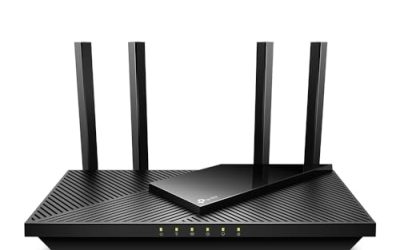
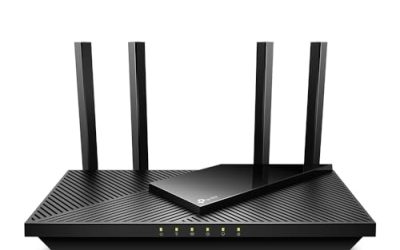
The Archer BE800 is the capacity flagship of this group: a tri-band Wi-Fi 7 router with combined speeds up to 19 Gbps, eight high-performance antennas and beamforming. One transparency note matters for this guide’s method: TP-Link does not publish a square-foot coverage figure for the BE800. Its listing instead describes the router as covering a large home of four or more bedrooms, so it is included on the strength of its documented antenna array, its radios and its wired plant rather than a comparable area number. That plant is the best here: two 10 Gbps ports (one is an SFP+ fiber combo) and four 2.5 Gbps ports, plus USB 3.0. EasyMesh support allows expansion, and an LED screen on the front shows network status and other information.
Who it fits: very busy large homes with multi-gig internet, a wired NAS or server, and many simultaneous users, where total capacity and wired speed matter as much as raw reach.
Limits from the spec sheet: without a published square-foot figure, its reach cannot be compared on the same basis as the other four, and buyers who need a stated coverage number should choose one of them; it is a large tower that needs shelf space and ventilation; much of its 19 Gbps total sits on the 6 GHz band, which serves nearby rooms rather than distant ones.
Comparison table
| Model | Wi-Fi class | Maker-published coverage | Antennas | Fastest wired port | Published device capacity |
|---|---|---|---|---|---|
| NETGEAR Nighthawk RS600 | Wi-Fi 7, tri-band, up to 18 Gbps | Up to 3,300 sq. ft. | 8, internal array | 10 Gig | Up to 150 |
| NETGEAR Nighthawk RS500 | Wi-Fi 7, tri-band, up to 12 Gbps | Up to 3,000 sq. ft. | 6, internal array | 2.5 Gig | Up to 120 |
| Reyee RG-E5 | Wi-Fi 6, dual-band, AX3200 | Up to 3,000 sq. ft. | 8, external adjustable | Gigabit | Up to 128 |
| ASUS RT-BE92U | Wi-Fi 7, tri-band, up to 9,700 Mbps | Up to 2,750 sq. ft. | 4 external + 1 internal | 10 Gig | Not published as a headline figure |
| TP-Link Archer BE800 | Wi-Fi 7, tri-band, up to 19 Gbps | No sq. ft. figure published; listed for large homes of 4+ bedrooms | 8, internal | 10 Gig (plus SFP+ combo) | Not published as a headline figure |
FAQ
Can one router really cover a large home without mesh nodes?
It depends on the home’s size and construction. The makers of the routers above publish single-unit coverage between 2,750 and 3,300 square feet under their own test conditions. A rectangular two-story home near those sizes, with the router placed centrally, is the realistic target. Long ranch layouts, concrete or brick interior walls, and homes well beyond the published figure are where a single unit runs out and mesh nodes earn their place.
Why do distant rooms always end up on the 2.4 GHz band?
Lower frequencies travel farther and lose less energy passing through walls and floors. The 5 GHz and 6 GHz bands carry far more speed but fade sooner, so at the edge of the house your devices fall back to 2.4 GHz. That is normal behavior, and it is why this guide weighs the strength of each router’s 2.4 GHz radio and amplifiers rather than headline combined speed.
Does a higher coverage figure from one brand beat a lower figure from another?
Not automatically. Each maker measures under its own conditions, so figures are most reliable when comparing models from the same brand. Across brands, treat the published number as a rough tier marker and weigh the hardware behind it: antenna count, amplifier support, beamforming and band design.
Where should a long range router sit in the house?
Centrally, elevated, and out in the open, as close to the middle of the floor plan as your modem connection allows. Keep it away from thick masonry, large metal objects and aquariums, and avoid closets and basement corners. With external-antenna models such as the Reyee RG-E5, angle the antennas vertically for same-floor reach and tilt one if an upper floor needs help.
Conclusion
For most large homes, the NETGEAR RS600 is the strongest single-unit answer here: the joint-largest published coverage figure in the guide, an eight-antenna array, and 10 Gig wired ports for the long term. The RS500 keeps the same formula with a smaller coverage figure and a lower wired ceiling. The Reyee RG-E5 is the pick when adjustable external antennas and amplifier-backed 2.4 GHz reach matter more than Wi-Fi 7, while the ASUS RT-BE92U suits homes that want AiMesh flexibility and a 10 Gig port at a smaller coverage tier. The Archer BE800 is the capacity choice for multi-gig households, with the caveat that TP-Link publishes no square-foot figure for it. Match the published coverage to your floor plan, place the winner centrally, and a single router can cover more of a large home than its size suggests.
More from Amazon
Programs that pair well with the guide above. Offers and eligibility are set by Amazon and may change.
Free shipping on eligible items, Prime Video and more. Eligible new members can start with a free trial.
Start a Prime free trialAd-free music streaming. Eligible new subscribers can start with a free trial.
Try Music Unlimited freeA Prime membership for ages 18-24 with a trial period. Eligibility is set by Amazon.
See Prime for Young AdultsAudiobooks and podcasts to listen to on the go. Eligible new members can start with a free trial.
Try Audible freeAs an Amazon Associate we earn from qualifying purchases.