Our Short List of 3
- Best for: all-day typing when wrist comfort is the priority.
- Switches: Cherry MX Brown, stated in the title and the switch specification field
- Design: contoured ergonomic key wells with thumb keys
- Programmability: SmartSet programmable
- Backlight: white backlight (Pro model)

- Best for: a full-size board that covers gaming, typing and number entry.
- Switches: Brown CHERRY MX, stated in the title
- Layout: full-size, 104 buttons
- Illumination: per-key illumination
- Rollover: N-key rollover

- Best for: a familiar full-size board with genuine Cherry switches and no learning curve.
- Switches: MX Brown switches
- Housing: aluminum housing
- Backlight: RGB backlighting
- Layout: full-size
All 4 Picks at a Glance
| Product | Specs | Action |
|---|---|---|
| Kinesis Advantage2 KB600 |
| Check price on Amazon |
| ROCCAT RYOS MK Pro |
| Check price on Amazon |
| CHERRY MX Board 3.0 S |
| Check price on Amazon |
 Kinesis Freestyle Pro KB900-brn |
| Check price on Amazon |
Key takeaways
- Four keyboards with genuine Cherry MX Brown switches, from a contoured ergonomic board to a split layout. Compare feel, layout and build before you buy.
Cherry MX Brown is the switch for people who want to feel each keypress land without hearing a click. That quiet tactile bump suits long typing sessions, shared offices and late-night work, which is why so many keyboards advertise a “brown” switch. The catch is that the word brown on a listing does not always mean Cherry. Plenty of boards use another maker’s brown-style switch, and the feel and durability differ. This guide only includes keyboards whose Amazon listing states Cherry MX Brown switches by name, so every pick below uses the real switch.
These four boards are for typists, programmers and office workers who want tactile feedback without the noise of a clicky switch. Each pick was chosen from the product name and specifications on its Amazon listing; only four keyboards passed that check, so this guide is short on purpose. A contoured ergonomic board leads the list, followed by a full-size gaming board, a straightforward board from Cherry itself and a split board for wide setups.
Quick Picks
As an Amazon Associate we earn from qualifying purchases
| Product | Best for | Key spec |
|---|---|---|
| Kinesis Advantage2 KB600 | All-day typing with an ergonomic layout | Cherry MX Brown switches, contoured ergonomic design |
| ROCCAT RYOS MK Pro | A full-size board for gaming and work | Brown CHERRY MX switches, per-key illumination |
| CHERRY MX Board 3.0 S | A simple, no-fuss Cherry board | MX Brown switches, aluminum housing |
| Kinesis Freestyle Pro KB900-brn | A split layout for wide or shared desks | Cherry MX Brown tactile switches, split design |
How to Choose
Confirm the switch is really Cherry MX Brown
The single most important check is the switch name on the listing. Cherry MX Brown is a specific switch made by Cherry, with a tactile bump and no audible click, and several brands sell brown-style switches under their own names. Keychron K Pro Brown, Gateron Brown and Perixx brown switches are not Cherry MX Brown, even when a listing groups them under a brown colour option. Read the product title and the switch specification field, and look for the words Cherry MX Brown written out in full. If the listing only says “brown switches” or names another brand, the board does not belong in this category, whatever its price or layout.
Pick a layout that matches your desk and your hands
Keyboard layout decides how much desk space the board takes and how far your hands travel. A full-size board keeps the number pad and is the natural choice if you enter figures often, while a compact or split board frees space for a mouse and suits smaller desks. The contoured board in this guide angles the key wells toward each hand, which changes the typing posture entirely, and the split board lets you set the two halves as far apart as your shoulders need. Before choosing, measure the free space on your desk and think about whether you use a number pad daily, because a layout that fights your habits will slow you down more than any switch choice.
Weigh ergonomics against the learning curve
Ergonomic keyboards reduce wrist strain, but they also ask you to relearn your typing position. A contoured or split board feels strange for the first week, and some buyers give up before their hands adjust. If you already have wrist discomfort, that adjustment period is usually worth it, since the whole point is a more neutral hand position. If you have no pain and just want a better typing feel, a standard full-size board with Cherry MX Brown switches gives you the tactile feedback without any relearning. Be honest about how much patience you have for a new layout, and choose the board you will still be using in a month.
Check build, backlighting and programmability
The frame and extras decide how the board feels day to day. An aluminum housing feels solid and resists flex, while a plastic shell is lighter and easier to move. Backlighting matters if you type in dim rooms, and the boards here range from per-key illumination to a simple white backlight. Programmability is worth checking if you use macros or custom layers: two of these boards run Kinesis SmartSet software, which lets you remap keys and record macros on the board itself. Decide which extras you will actually use, since a feature you never touch adds cost without adding comfort.
The 4 Best Options
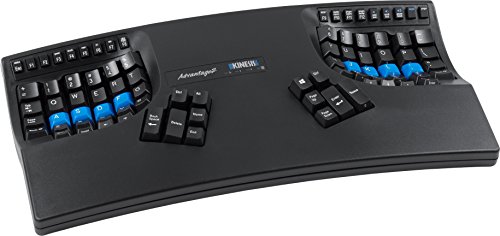
Kinesis Advantage2 KB600
- Best for: all-day typing when wrist comfort is the priority.
- Switches: Cherry MX Brown, stated in the title and the switch specification field
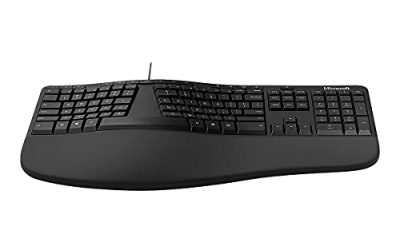
- Design: contoured ergonomic key wells with thumb keys
- Programmability: SmartSet programmable
- Backlight: white backlight (Pro model)
all-day typing when wrist comfort is the priority.
the contoured layout takes about a week to learn, and the listing gives conflicting key counts, so do not rely on a single figure for the number of keys.
The Advantage2 is the board to buy when typing comfort matters more than anything else. Its contoured key wells curve down and inward so each hand rests naturally, and the Cherry MX Brown switches add a quiet tactile bump for long documents and code. Thumb keys put Enter, Backspace and Space under your thumbs instead of your weakest fingers, easing pressure on your pinkies. SmartSet programming lets you remap keys and build layers, and the white backlight keeps the legends readable in dim light. It is a specialist board whose shape asks for a week of adjustment, but for all-day typists it is the most considered pick here.
Watch out for: the contoured layout takes about a week to learn, and the listing gives conflicting key counts, so do not rely on a single figure for the number of keys.
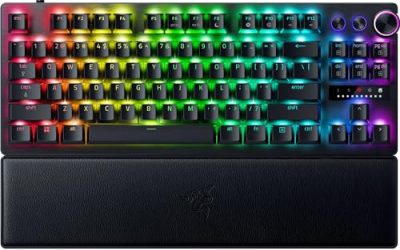
ROCCAT RYOS MK Pro
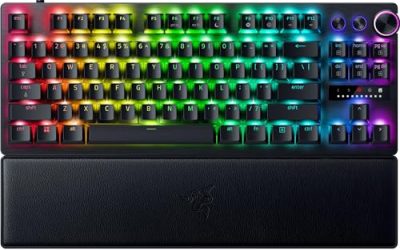
- Best for: a full-size board that covers gaming, typing and number entry.
- Switches: Brown CHERRY MX, stated in the title
- Layout: full-size, 104 buttons
- Illumination: per-key illumination
- Rollover: N-key rollover
a full-size board that covers gaming, typing and number entry.
it is a large board, so measure your desk first, and the switch model field on the listing reads simply “Cherry MX” — the Brown statement comes from the title.
The RYOS MK Pro is the full-size option for a desk that does both gaming and work. Its Brown CHERRY MX switches give the same quiet tactile feel as the other boards here, while the full layout keeps the number pad for spreadsheets and data entry. Per-key illumination lets you light the keys you actually use, and N-key rollover means the board registers every key in a fast combination instead of dropping one. With 104 buttons, nothing is missing from the layout, so there is no need to relearn key positions or reach for a function layer. It is a straightforward, full-size board that happens to use the right switch.
Watch out for: it is a large board, so measure your desk first, and the switch model field on the listing reads simply “Cherry MX” — the Brown statement comes from the title.
CHERRY MX Board 3.0 S
- Best for: a familiar full-size board with genuine Cherry switches and no learning curve.
- Switches: MX Brown switches
- Housing: aluminum housing
- Backlight: RGB backlighting
- Layout: full-size
a familiar full-size board with genuine Cherry switches and no learning curve.
the mirror listing’s Q&A notes the Brown part numbers are EU versions too, so confirm US layout and Brown switches on the product page before publishing or ordering.
The MX Board 3.0 S is the simplest board in this guide, and that is its appeal. It comes from Cherry itself, uses genuine MX Brown switches and puts them in an aluminum housing with RGB backlighting, in a standard full-size layout. There are no thumb clusters to master and no split halves to position. It is the board to choose when you want the Cherry MX Brown feel in a familiar shape without paying for ergonomic experiments. Confirm the US layout and Brown variant on the product page before ordering, since the mirror listing’s Q&A notes the Brown part numbers also exist in EU versions.
Watch out for: the mirror listing’s Q&A notes the Brown part numbers are EU versions too, so confirm US layout and Brown switches on the product page before publishing or ordering.
Kinesis Freestyle Pro KB900-brn
- Best for: wide setups and typists who want the keyboard halves spaced to shoulder width.
- Switches: Cherry MX Brown tactile
- Layout: split, 94 keys
- Slope: zero-degree slope
- Linking cable: 20-inch linking cable
wide setups and typists who want the keyboard halves spaced to shoulder width.
the two halves need desk space for the gap between them, and the linking cable limits how far apart they can sit.
The Freestyle Pro is the split board for people whose shoulders want the keyboard halves further apart than a single frame allows. The two halves connect with a 20-inch linking cable, and the zero-degree slope keeps the board flat, which suits typists who dislike tilted keyboards. Cherry MX Brown tactile switches give the same quiet bump as the other picks, with a 45g actuation force that feels light through long sessions. SmartSet programming carries over from the Advantage2, so macros and remaps are available here too. At 15.5 inches wide and 2.6 pounds, it is a substantial board, but the split design is the reason to buy it.
Watch out for: the two halves need desk space for the gap between them, and the linking cable limits how far apart they can sit.
Which One Fits Your Situation
You type all day and your wrists are starting to ache
Choose the Kinesis Advantage2 KB600. Its contoured wells and thumb keys change the hand position more than any other board here, and the Cherry MX Brown switches keep the feel quiet enough for a shared office. Expect a week of adjustment while your fingers learn the new layout, and keep your old board nearby for the first few days.
You want one full-size board for gaming and work
Choose the ROCCAT RYOS MK Pro. It keeps the number pad, registers every key in fast combinations and lights each key individually, so it handles both a game session and a spreadsheet without compromise. The CHERRY MX Board 3.0 S is the quieter alternative if you prefer a simpler frame and RGB backlighting.
You want the simplest genuine Cherry board
Choose the CHERRY MX Board 3.0 S. It is a standard full-size layout from Cherry itself, with an aluminum housing and no learning curve, so you can start typing the moment it arrives. Just confirm the US layout and Brown switches on the product page first, since the listing’s part numbers also exist in EU versions.
You need a split board for a wide desk
Choose the Kinesis Freestyle Pro KB900-brn. The two halves separate to shoulder width, the flat zero-degree slope suits typists who dislike tilt, and SmartSet programming covers macros and remaps. It needs more desk space than a single-frame board, so measure the gap you plan to leave between the halves before you buy.
Common Mistakes
- Buying a board labelled “brown” without checking the switch brand — Keychron K Pro Brown, Gateron Brown and Perixx brown switches are not Cherry MX Brown.
- Choosing a split or contoured board and giving up after two days, before your hands adjust to the new layout.
- Picking a board without a number pad and only realising you need one for daily data entry.
- Assuming every listing with the same model name uses the same switch — many boards sell several switch variants under one listing, so confirm Brown on the exact product page.
- Ordering the CHERRY MX Board 3.0 S without confirming the US layout, since its Brown part numbers also exist in EU versions.
Frequently Asked Questions
Are Cherry MX Brown switches good for typing?
Yes, they are one of the most popular typing switches because the tactile bump tells your fingers when a key has registered, without the loud click of a clicky switch. That feedback helps accuracy during long sessions, and the quiet operation suits offices and shared rooms. The 45g actuation force on the Freestyle Pro is typical of the switch, light enough for fast typing without feeling mushy.
What is the difference between MX Brown and MX Blue or MX Red?
MX Brown is tactile but not clicky: you feel the bump and hear only a soft sound. MX Blue adds an audible click, too loud for most offices. MX Red is linear, with no bump at all, so it feels smoother but gives less feedback when a key registers. Brown sits between the two, which is why it is the usual pick for people who type more than they game.
Why are there only four keyboards in this guide?
Only four keyboards passed the check that the listing states Cherry MX Brown switches by name. Many boards advertise a brown switch from another maker, such as Keychron K Pro Brown or Gateron Brown, and several listings offer several switch variants, so a Brown option could not be confirmed. A short guide with four verified picks beats a longer one padded with boards that do not use the switch.
Do all four keyboards use the same US layout?
Three are standard US-layout boards, and the Kinesis Freestyle Pro is a split board with a US layout. Double-check the CHERRY MX Board 3.0 S, because its mirror listing notes the Brown part numbers also exist in EU versions. Confirm the US layout and Brown switch variant on the product page before ordering; the same check is good practice for any board you buy.
FAQ
Are Cherry MX Brown switches good for typing?
What is the difference between MX Brown and MX Blue or MX Red?
Why are there only four keyboards in this guide?
Do all four keyboards use the same US layout?
More from Amazon
Programs that pair well with the guide above. Offers and eligibility are set by Amazon and may change.
Free shipping on eligible items, Prime Video and more. Eligible new members can start with a free trial.
Start a Prime free trialAd-free music streaming. Eligible new subscribers can start with a free trial.
Try Music Unlimited freeA Prime membership for ages 18-24 with a trial period. Eligibility is set by Amazon.
See Prime for Young AdultsAudiobooks and podcasts to listen to on the go. Eligible new members can start with a free trial.
Try Audible freeAs an Amazon Associate we earn from qualifying purchases.