Our Short List of 3

- Best for: A laptop dock that needs one cable for video, data, and charging.
- 27 inch 4K UHD 3840 x 2160 IPS Black panel
- 99 DCI-P3 color coverage, factory calibration to Delta E under 1.5
- 120Hz refresh, 3000 to 1 contrast ratio, DisplayHDR 600
- Thunderbolt 4 hub with 140W charging over one cable

- Best for: Photo editing that moves between DCI-P3 and Adobe RGB color spaces.
- 27 inch 4K UHD 3840 x 2160 IPS panel
- 99 DCI-P3 and 99 Adobe RGB, Delta E under 2, Calman Verified
- USB-C with 96W charging, DisplayPort, daisy-chain support
- DisplayHDR 400, ergonomic stand, 3-year warranty

- Best for: Rec.709 video editing with a Mac-ready color mode set.
- 27 inch 4K UHD 3840 x 2160 IPS panel
- 99 sRGB and 99 Rec.709, Delta E 3 or under, factory calibration report in the box
- USB-C with 65W charging, KVM switch, HotKey Puck G2
- HDR10 support, AQCOLOR technology, ergonomic stand
All 5 Picks at a Glance
| Product | Specs | Action |
|---|---|---|
| Dell UltraSharp U2725QE 27 Inch 4K UHD IPS Black Monitor with 120Hz and Thunderbolt 4 |
| Check price on Amazon |
| ASUS ProArt Display PA279CRV 27 Inch 4K HDR Professional Monitor |
| Check price on Amazon |
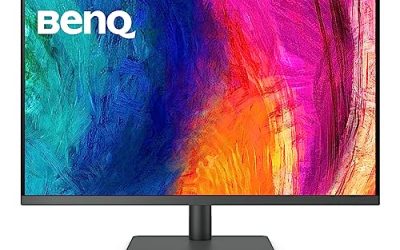
| BenQ PD2705U Mac-Ready AQCOLOR Monitor 27 Inch 4K UHD |
| Check price on Amazon |
 ASUS ProArt Display PA278QV 27 Inch WQHD Monitor |
| Check price on Amazon |
 LG 27UP850-W Monitor 27 Inch UHD IPS Display |
| Check price on Amazon |
Key takeaways
- Compare five factory-calibrated monitors for photo and video work, with wide color gamut, Delta E accuracy, 4K panels, USB-C hubs, and adjustable stands.
A calibrated monitor decides whether the colors you edit match the colors your audience sees, and a panel that drifts can turn careful photo and video work into guesswork. Factory calibration removes much of that doubt, because each unit leaves the factory with measured color settings and a stated Delta E figure, so skin tones, product shots, and graded footage hold together from one screen to another. The real decision is which color space your work lives in, how much resolution you need, and how your laptop connects.
This guide suits photographers, video editors, designers, and home creators who want dependable color without buying an extra calibration device. We picked five 27 inch monitors from names and specs on Amazon pages, covering sRGB, Rec.709, Adobe RGB, and DCI-P3 work, with 4K and QHD panels, USB-C hubs, and stands that adjust to a comfortable desk setup.
Quick Picks
As an Amazon Associate we earn from qualifying purchases
| Product | Best for | Key spec from title |
|---|---|---|
| Dell UltraSharp U2725QE 27 Inch 4K UHD IPS Black Monitor with 120Hz and Thunderbolt 4 | Laptop docking with one Thunderbolt cable | 99 DCI-P3, Delta E under 1.5 |
| ASUS ProArt Display PA279CRV 27 Inch 4K HDR Professional Monitor | Photo editing in wide DCI-P3 color | 99 DCI-P3 and 99 Adobe RGB |
| BenQ PD2705U Mac-Ready AQCOLOR Monitor 27 Inch 4K UHD | Video editing in Rec.709 color | 99 sRGB and Rec.709, Delta E 3 or under |
| ASUS ProArt Display PA278QV 27 Inch WQHD Monitor | sRGB photo work on a QHD panel | 100 sRGB and Rec.709, Delta E under 2 |
| LG 27UP850-W Monitor 27 Inch UHD IPS Display | Mac and PC desks needing USB-C and HDR | DCI-P3 95, DisplayHDR 400 |
How to Choose
Match the color space to your delivery
Your delivery format should set the gamut you buy, because a monitor that covers the wrong space will mislead you on every edit. Web and print work in sRGB, broadcast and online video lean on Rec.709, print photography often needs Adobe RGB, and cinema style video leans on DCI-P3. A panel that lists 100 sRGB and 100 Rec.709 suits a photographer who publishes online, while a panel with 99 DCI-P3 suits a video editor who grades for wide gamut screens. Check the listing for the exact spaces named, and pick the model whose coverage lines up with the files you hand over.
Read the Delta E figure before the panel size
Delta E describes how far a shown color sits from the intended color, and a smaller figure means a closer match that most eyes cannot fault. Factory calibrated monitors in this guide list Delta E under 1.5, under 2, or 3 or under, and each figure comes with a calibration report or a Calman Verified mark on the listing. A wide gamut means little when Delta E runs high, because vivid color can still be wrong color. Compare the Delta E figure across models, and treat a clear, low figure as a stronger sign than a large screen or a slim frame.
Choose resolution for detail and desk space
Resolution decides how much fine detail you can judge and how many panels, timelines, and toolbars fit on one screen. A 27 inch 4K panel shows dense text, fine hair, and small interface controls with room to spare, which suits photo retouching and long video timelines. A 27 inch QHD panel still shows a sharp image and leaves more room in a smaller desk layout, and it pairs well with a laptop screen as a second display. Weigh the pixel density you need against the desk width you own, and remember that a larger panel does not fix a narrow gamut.
Check ports, hub features, and the stand
A calibrated panel earns its keep only when it connects cleanly to the computer you own, so read the port list with the same care as the color specs. USB-C with charging lets a laptop dock through one cable, a KVM switch shares one keyboard and mouse across two computers, and DisplayPort plus HDMI cover desktop towers and consoles. The stand matters too, because height, pivot, swivel, and tilt let you set the screen at eye level and turn it upright for portrait documents. Confirm every port your setup needs before you commit to a model.
The 5 Best Options
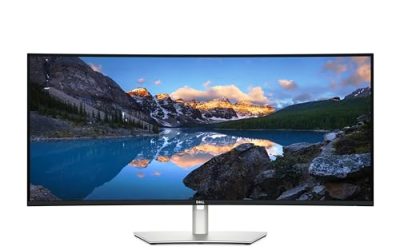
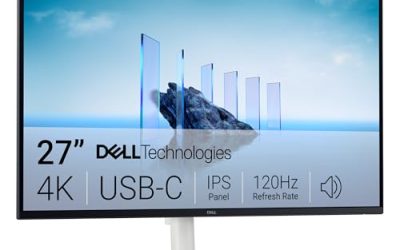
Dell UltraSharp U2725QE 27 Inch 4K UHD IPS Black Monitor with 120Hz and Thunderbolt 4
- Best for: A laptop dock that needs one cable for video, data, and charging.
- 27 inch 4K UHD 3840 x 2160 IPS Black panel
- 99 DCI-P3 color coverage, factory calibration to Delta E under 1.5
- 120Hz refresh, 3000 to 1 contrast ratio, DisplayHDR 600
- Thunderbolt 4 hub with 140W charging over one cable
A laptop dock that needs one cable for video, data, and charging.
Confirm your laptop supports Thunderbolt 4, or the hub will run at a lower link mode.
The Dell UltraSharp U2725QE suits a creator who docks a laptop every day and wants deep blacks with exact color in one unit. Its IPS Black panel gives darker shadows than a standard IPS panel, and factory calibration to Delta E under 1.5 keeps graded footage and edited photos honest. Thunderbolt 4 carries video, data, and up to 140W of charging through one cable, so a desk stays tidy while a laptop charges. A 120Hz panel keeps cursor movement and timeline scrubbing smooth, and the 4K resolution shows fine detail in stills and video frames alike.
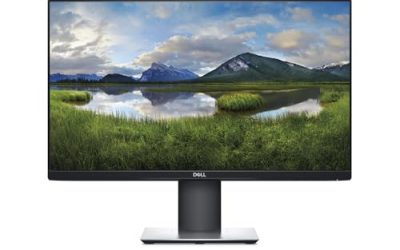
ASUS ProArt Display PA279CRV 27 Inch 4K HDR Professional Monitor
- Best for: Photo editing that moves between DCI-P3 and Adobe RGB color spaces.
- 27 inch 4K UHD 3840 x 2160 IPS panel
- 99 DCI-P3 and 99 Adobe RGB, Delta E under 2, Calman Verified
- USB-C with 96W charging, DisplayPort, daisy-chain support
- DisplayHDR 400, ergonomic stand, 3-year warranty
Photo editing that moves between DCI-P3 and Adobe RGB color spaces.
Check the daisy-chain needs of a second monitor, since a chained screen shares the DisplayPort link.
The ASUS ProArt Display PA279CRV suits a photographer who works across DCI-P3 and Adobe RGB and wants both spaces covered in one 4K panel. Calman Verified factory calibration to Delta E under 2 means color lands close to the intended hue from the moment the monitor powers on, and a printed calibration report backs the claim. USB-C with 96W charging runs a laptop through one cable, while DisplayPort daisy-chain support links a second screen without a second video cable from the computer. The ergonomic stand adjusts to a comfortable viewing angle for long editing sessions.
BenQ PD2705U Mac-Ready AQCOLOR Monitor 27 Inch 4K UHD
- Best for: Rec.709 video editing with a Mac-ready color mode set.
- 27 inch 4K UHD 3840 x 2160 IPS panel
- 99 sRGB and 99 Rec.709, Delta E 3 or under, factory calibration report in the box
- USB-C with 65W charging, KVM switch, HotKey Puck G2
- HDR10 support, AQCOLOR technology, ergonomic stand
Rec.709 video editing with a Mac-ready color mode set.
Check that 65W charging covers your laptop, since larger laptops may need a separate charger under heavy load.
The BenQ PD2705U suits a video editor who delivers in Rec.709 and wants a Mac-ready panel with a clear factory calibration report in the box. Its 99 sRGB and 99 Rec.709 coverage matches the color spaces most online video and broadcast work uses, and Delta E 3 or under keeps skin tones and product hues steady. The HotKey Puck G2 switches color modes without digging through menus, and the KVM switch shares one keyboard and mouse across two computers. USB-C with 65W charging suits many thin laptops, and HDR10 support adds range to graded footage.
ASUS ProArt Display PA278QV 27 Inch WQHD Monitor
- Best for: sRGB photo work where a QHD panel and a wide port set matter.
- 27 inch WQHD 2560 x 1440 IPS panel
- 100 sRGB and 100 Rec.709, Delta E under 2, Calman Verified
- DisplayPort, HDMI, Mini DisplayPort, DVI-D, USB hub
- 75Hz refresh, ergonomic stand with tilt, swivel, pivot, and height
sRGB photo work where a QHD panel and a wide port set matter.
Note the lack of USB-C video input, so a modern laptop may need an adapter or a dock.
The ASUS ProArt Display PA278QV suits a photographer who wants trusted sRGB color at a modest resolution and a proven factory calibration record. Its 100 sRGB and 100 Rec.709 coverage matches web publishing and online video, and Calman Verified calibration to Delta E under 2 keeps edits faithful. A WQHD panel shows sharp detail while leaving room on a smaller desk, and the wide port set covers DisplayPort, HDMI, Mini DisplayPort, and DVI-D for older towers. The ergonomic stand tilts, swivels, pivots, and adjusts in height, and a color pre-calibration report ships in the box.
LG 27UP850-W Monitor 27 Inch UHD IPS Display
- Best for: A shared Mac and PC desk that needs USB-C, HDR, and wide color.
- 27 inch UHD 3840 x 2160 IPS display
- DCI-P3 95 color gamut, VESA DisplayHDR 400
- USB-C, 3-side virtually borderless display
- Height, pivot, and tilt adjustable stand
A shared Mac and PC desk that needs USB-C, HDR, and wide color.
Check the USB-C charging level for your laptop, since the listing centers on video and data rather than high wattage charging.
The LG 27UP850-W suits a creator who wants a bright 4K panel with wide DCI-P3 color and a clean USB-C desk setup. Its DCI-P3 95 coverage gives video and photo work a broad palette, and DisplayHDR 400 lifts highlights in HDR footage and stills. USB-C carries video, data, and charging through one cable, while the 3-side virtually borderless design keeps the focus on the image. Built-in speakers handle quick audio checks without extra desk gear, and the height, pivot, and tilt stand sets the panel at a comfortable angle for long sessions.
Which One Fits Your Situation
Photo editing in sRGB and Adobe RGB
Pick the ASUS ProArt Display PA279CRV when your photo work spans Adobe RGB for print and DCI-P3 for screens, since it covers both spaces at 99 with Delta E under 2. Pick the ASUS ProArt Display PA278QV when your publishing stays in sRGB, since its 100 sRGB coverage and QHD panel handle web work with room to spare. Both ship with a calibration report, so your edits hold together across prints and screens.
Video editing and grading in Rec.709 and DCI-P3
Pick the BenQ PD2705U when your delivery stays in Rec.709, since its 99 Rec.709 coverage and HotKey Puck G2 make mode changes quick during a grade. Pick the Dell UltraSharp U2725QE when your grading moves into DCI-P3, since its 99 DCI-P3 coverage and Delta E under 1.5 give tighter color control. Both run 4K panels, so timelines and scopes stay sharp while you work.
A one-cable laptop desk
Pick the Dell UltraSharp U2725QE when your laptop supports Thunderbolt 4, since one cable carries video, data, and up to 140W of charging. Pick the ASUS ProArt Display PA279CRV when a 96W USB-C link suits your laptop, since it docks through one cable and chains a second screen from its DisplayPort output. Either choice keeps cables off the desk while color stays accurate.
Common Mistakes
- Buying a wide gamut panel without checking whether your delivery uses sRGB, Rec.709, Adobe RGB, or DCI-P3.
- Ignoring the Delta E figure and judging a monitor by screen size or slim bezels alone.
- Assuming every USB-C port charges a laptop at full wattage, then finding a larger laptop drains under load.
- Skipping the stand and port check, then learning the screen cannot pivot or connect to an older tower.
- Leaving the factory color mode on a vivid preset instead of the calibrated sRGB or Rec.709 mode for editing.
Frequently Asked Questions
Do factory-calibrated monitors need a separate calibration device?
No, a factory-calibrated monitor arrives with measured color settings and a stated Delta E figure, so it shows dependable color from the moment you plug it in. A separate device can still help over time, because panels drift as they age and room lighting changes. Recalibrate on a schedule that fits your work, and keep the factory report as a baseline for comparison.
Which color space should a photographer choose?
Choose sRGB when your photos publish on the web, since most screens and browsers use that space. Choose Adobe RGB when you print, since its wider gamut holds colors that sRGB clips in print work. Choose DCI-P3 when your images also feed video projects graded for wide gamut displays. Match the monitor to the space your final files live in.
Is 4K worth it over QHD for photo and video work?
Yes, when you judge fine detail often, since a 4K panel shows denser text, finer hair, and smaller interface controls with room to spare. QHD still suits many desks, since it shows a sharp image and pairs well with a laptop screen. Pick 4K for retouching and long timelines, and pick QHD when desk space or a second screen matters more.
Can one monitor serve both Mac and PC editing?
Yes, when its color modes cover the spaces both systems use and its ports fit both machines. USB-C with charging suits modern laptops on either side, while DisplayPort and HDMI cover desktop towers. A KVM switch helps when one keyboard and mouse must serve two computers. Check the port list and the color modes before you buy.
FAQ
Do factory-calibrated monitors need a separate calibration device?
Which color space should a photographer choose?
Is 4K worth it over QHD for photo and video work?
Can one monitor serve both Mac and PC editing?
More from Amazon
Programs that pair well with the guide above. Offers and eligibility are set by Amazon and may change.
Free shipping on eligible items, Prime Video and more. Eligible new members can start with a free trial.
Start a Prime free trialAd-free music streaming. Eligible new subscribers can start with a free trial.
Try Music Unlimited freeA Prime membership for ages 18-24 with a trial period. Eligibility is set by Amazon.
See Prime for Young AdultsAudiobooks and podcasts to listen to on the go. Eligible new members can start with a free trial.
Try Audible freeAs an Amazon Associate we earn from qualifying purchases.