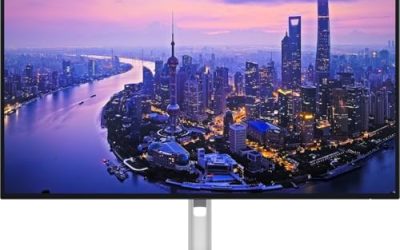
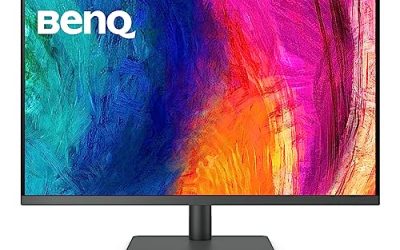
Our Short List of 3

- Best for: Competitive gamers who want the fastest VA panel in this roundup on a curved 27-inch screen.
- 27-inch Rapid VA panel
- FHD 1920 x 1080
- 1500R curved
- 240Hz refresh rate

- Best for: Gamers and home workers who want one ultrawide screen for play and two-window work.
- 34-inch curved ultrawide VA panel
- UWQHD 3440 x 1440
- 1500R curve
- 21:9 aspect ratio

- Best for: Small desks and first curved screens where a compact 23.8-inch panel fits better than a large one.
- 23.8-inch curved VA panel
- FHD 1920 x 1080
- 180Hz via DisplayPort, 120Hz via HDMI 1.4
- 1ms (GTG) response time
All 5 Picks at a Glance
| Product | Specs | Action |
|---|---|---|
| MSI MAG 274CF X24 |
| Check price on Amazon |
| AOC CU34G4V |
| Check price on Amazon |
| CRUA CR240DM |
| Check price on Amazon |
 Samsung CJG56 |
| Check price on Amazon |
 CRUA 32-inch |
| Check price on Amazon |
Key takeaways
- Compare five VA monitors for gaming and everyday use, from a 240Hz curved 27-inch screen to a 34-inch ultrawide, and find the panel that fits your desk.
A VA monitor is the pick when deep blacks and strong contrast matter more than the last fraction of response time. The panel type shapes everything about the picture: dark scenes hold their shadows, bright highlights keep their punch, and the static contrast figures — 3000:1 or 4000:1 on the models below — are the numbers that explain why a VA screen looks richer than a flat-lit rival. The trade is real too, so the choice comes down to how much speed you need and how much desk you have.
This guide is for gamers and everyday users who want one screen for play, work, and movies without juggling two displays. Every pick below is a monitor whose Amazon listing states a VA panel, and every specification comes from that listing — panel size, curve, refresh rate, and ports. Read the five options, then match the screen to your desk and your games.
Quick Picks
As an Amazon Associate we earn from qualifying purchases.
| Product | Best for | Key spec from title |
|---|---|---|
| MSI MAG 274CF X24 | Fast competitive play on a curved screen | 27-inch Rapid VA, 240Hz, 1500R |
| AOC CU34G4V | Ultrawide workspace and immersive play | 34-inch UWQHD VA, 180Hz, 21:9 |
| CRUA CR240DM | A compact curved screen on a tight desk | 23.8-inch curved VA, 180Hz |
| Samsung CJG56 | A big curved screen for relaxed play | 32-inch curved VA, 144Hz |
| CRUA 32-inch | A large curved screen for movies and play | 31.5-inch curved VA, 180Hz |
How to Choose
Panel type and contrast first
VA stands for vertical alignment, and the panel’s calling card is contrast. A static contrast ratio of 3000:1 or 4000:1 means blacks look genuinely dark instead of washed-out grey, which matters most in dim rooms and dark game scenes. Compare the static figure, not the dynamic one — a dynamic figure like 80M:1 is measured with the backlight shifting, so it tells you little about a still image. Viewing angles on VA panels reach 178 degrees on the models below, wide enough for a second viewer at the side of the desk. If your room is bright, a matte screen helps more than any contrast number, since glare washes out blacks faster than a weak panel does.
Refresh rate and response time
Refresh rate sets how many frames the screen can show each second, and response time sets how quickly a pixel changes colour. A 240Hz panel with a 0.5ms response suits fast shooters where every frame counts, while 144Hz is plenty for story-driven games, streaming, and office work. Watch the port, not just the headline number: some monitors reach their top refresh rate only through DisplayPort, with HDMI capped lower — 100Hz or 120Hz on two of the picks below. If your graphics card or console connects over HDMI, the capped figure is the one you will actually see. Match the rate to your hardware, since a screen cannot show frames your card never renders.
Size, curve, and desk fit
Screen size decides how far you sit and how much desk the monitor eats. A 23.8-inch curved screen fits a shallow desk, while a 32-inch curved panel needs depth — sit too close and the edges pull your eyes across the panel. The curve radius matters: a 1500R curve wraps more tightly than an 1800R one, and a 2800R curve is gentler still, so the tightest curve suits the closest seating. Check the stand too: only the ultrawide below offers height adjustment, so the others may need a riser or an arm. VESA mounts differ too — 75 x 75 mm on the Samsung against 100 x 100 mm elsewhere — so confirm your arm or wall mount matches.
Ports and everyday extras
Ports decide what you can plug in and the refresh rate each device gets. Count your sources: a PC plus a console plus a streaming stick needs three inputs, and the monitors below mix DisplayPort with one or two HDMI ports, with one model carrying VGA. Adaptive sync matters if your graphics card supports it — FreeSync Premium appears on the two fastest picks and plain FreeSync on the rest — because it smooths tearing. HDR Ready on a listing is a compatibility note, not a promise of bright HDR, so treat it as a bonus. A matte screen, an earphone jack, and a tilt stand are small details that shape daily use more than a headline spec ever will.
The 5 Best Options
MSI MAG 274CF X24
- Best for: Competitive gamers who want the fastest VA panel in this roundup on a curved 27-inch screen.
- 27-inch Rapid VA panel
- FHD 1920 x 1080
- 1500R curved
- 240Hz refresh rate
Competitive gamers who want the fastest VA panel in this roundup on a curved 27-inch screen.
The listing gives no usable brightness figure, so judge this screen on refresh rate and contrast, not brightness.
The MSI MAG 274CF X24 is the fastest screen in this roundup, and it earns that place with a 240Hz refresh rate and a 0.5ms response time on a 27-inch Rapid VA panel. That combination suits competitive play, where the screen keeps up with quick mouse flicks and the curved 1500R panel pulls the edges of the image toward you. The 4000:1 static contrast ratio is the highest here, so dark corners of a game stay readable instead of turning into grey fog. FreeSync Premium and HDR Ready round out a panel that covers fast games and everyday use without asking you to give up contrast for speed.
Watch out for: The listing gives no usable brightness figure, so judge this screen on refresh rate and contrast, not brightness.
AOC CU34G4V
- Best for: Gamers and home workers who want one ultrawide screen for play and two-window work.
- 34-inch curved ultrawide VA panel
- UWQHD 3440 x 1440
- 1500R curve
- 21:9 aspect ratio
Gamers and home workers who want one ultrawide screen for play and two-window work.
HDMI caps the refresh rate at 100Hz, so use DisplayPort for the full 180Hz; the listing gives a dynamic contrast figure only, with no static figure to compare.
The AOC CU34G4V trades raw speed for space, and for many desks that trade is right. Its 34-inch ultrawide VA panel shows a 3440 x 1440 image in a 21:9 aspect ratio, so a game fills your peripheral vision and a workday fits two windows side by side. The 180Hz refresh rate through DisplayPort keeps fast games smooth, while the height-adjustable stand — 130mm of travel plus tilt and swivel — is the only ergonomic stand here. The 300 cd/m2 brightness figure is the clearest any listing here gives, and the black and red finish suits a gaming desk better than a plain black slab.
Watch out for: HDMI caps the refresh rate at 100Hz, so use DisplayPort for the full 180Hz; the listing gives a dynamic contrast figure only, with no static figure to compare.
CRUA CR240DM
- Best for: Small desks and first curved screens where a compact 23.8-inch panel fits better than a large one.
- 23.8-inch curved VA panel
- FHD 1920 x 1080
- 180Hz via DisplayPort, 120Hz via HDMI 1.4
- 1ms (GTG) response time
Small desks and first curved screens where a compact 23.8-inch panel fits better than a large one.
CRUA is an off-brand, and HDMI caps the refresh rate at 120Hz; the listing states no height adjustment for the stand.
The CRUA CR240DM is the smallest screen here, and that is its appeal. At 23.8 inches with a curved VA panel, it fits a shallow desk, a bedroom corner, or a first setup where a 32-inch panel would dominate the room. The 180Hz refresh rate through DisplayPort and the 1ms response time keep it quick enough for most games, while the 120% sRGB colour gamut gives the picture more colour range than a basic office screen. The 2800R curve is the gentlest here, so the wrap feels subtle rather than dramatic at close range. It is an off-brand panel, so judge it on the listing’s own figures.
Watch out for: CRUA is an off-brand, and HDMI caps the refresh rate at 120Hz; the listing states no height adjustment for the stand.
Samsung CJG56
- Best for: Relaxed gaming and movies on a large curved screen where size matters more than top speed.
- 32-inch curved VA panel
- 144Hz refresh rate
- 1800R curvature
- 3000:1 contrast ratio
Relaxed gaming and movies on a large curved screen where size matters more than top speed.
An older model with a 319-day-old crawl, so check the listing before ordering; the VESA mount is 75 x 75 mm, not the 100 x 100 mm the other picks use.
The Samsung CJG56 is the simplest big screen here, and its appeal is the size. A 32-inch curved VA panel with a 144Hz refresh rate fills your view without demanding the fastest graphics card, and the 1800R curve keeps the edges of the image within easy reach. The 3000:1 contrast ratio is the same figure the smaller CRUA models carry, so dark scenes hold up just as well. This is an older model in the CJG56 line, and its listing gives fewer specifications — no brightness or response time is stated — so buy it for the size and the curve, not the spec sheet.
Watch out for: An older model with a 319-day-old crawl, so check the listing before ordering; the VESA mount is 75 x 75 mm, not the 100 x 100 mm the other picks use.
CRUA 32-inch
- Best for: Large-screen gaming and movies where a 180Hz curved panel beats a slower 32-inch screen.
- 31.5-inch curved VA panel
- FHD 1920 x 1080
- 180Hz (also supports 120Hz / 144Hz)
- 1ms (GTG) response time
Large-screen gaming and movies where a 180Hz curved panel beats a slower 32-inch screen.
CRUA is an off-brand with a 319-day-old crawl, so check the listing before ordering; confirm the 100 x 100 mm wall mount fits your arm.
The CRUA 32-inch model pairs the big-screen appeal of the Samsung with a faster panel. Its 31.5-inch curved VA panel runs at 180Hz, with 120Hz and 144Hz modes supported, and the 1ms response time keeps fast motion clean. The 3000:1 contrast ratio and 250 cd/m2 brightness match the smaller CRUA, so the picture stays consistent. Low motion blur and FreeSync round out a panel built for games and movies alike, and the audio out jack is a small extra the Samsung does not list. Like its smaller sibling, this is an off-brand panel, so weigh the size and speed against the name on the box.
Watch out for: CRUA is an off-brand with a 319-day-old crawl, so check the listing before ordering; confirm the 100 x 100 mm wall mount fits your arm.
Which One Fits Your Situation
You play fast shooters and want every frame
Pick the MSI MAG 274CF X24. Its 240Hz refresh rate and 0.5ms response time are the fastest figures in this roundup, and the 4000:1 static contrast ratio keeps dark scenes readable. Connect over DisplayPort or HDMI and sit close enough for the 1500R curve to wrap the image around you.
You work and play on one screen all day
Pick the AOC CU34G4V. The 34-inch ultrawide panel fits two windows side by side, the height-adjustable stand lets you set the screen at eye level for long days at the desk, and the 180Hz refresh rate through DisplayPort keeps games smooth after work. It is the only pick here with a real ergonomic stand.
Your desk is small or this is your first curved screen
Pick the CRUA CR240DM. At 23.8 inches it fits a shallow desk in a bedroom or a small office without crowding it, the gentle 2800R curve eases you into curved screens, and the 180Hz refresh rate through DisplayPort is quick enough for most games. Use DisplayPort, not HDMI, for the full rate.
You want the biggest screen for movies and relaxed games
Pick the CRUA 32-inch for speed or the Samsung CJG56 for simplicity. The CRUA runs at 180Hz with a 1ms response time and adds an audio out jack, while the Samsung offers the same 32-inch size at 144Hz with fewer specs to worry about. Both use an 1800R curve, so sit at a normal distance and let the panel fill your view.
Common Mistakes
- Buying on the headline refresh rate without checking which port delivers it — HDMI caps two picks here at 100Hz or 120Hz.
- Comparing dynamic contrast figures instead of static ones — a dynamic figure like 80M:1 says little about a still image.
- Putting a 32-inch curved screen on a shallow desk and sitting too close to see the whole panel at once.
- Treating HDR Ready on a listing as a promise of bright HDR performance rather than a compatibility note.
- Ordering a VESA arm without checking the mount size — the Samsung uses 75 x 75 mm while the rest use 100 x 100 mm.
Frequently Asked Questions
Are VA monitors good for gaming?
Yes, VA monitors suit gaming well when contrast matters to you. The panels in this roundup offer 3000:1 or 4000:1 static contrast, so dark scenes look deep, not grey, and refresh rates run from 144Hz to 240Hz. Response times of 0.5ms or 1ms keep motion clean. The trade is a slightly slower pixel change, which matters most in the fastest competitive games and little in story-driven play.
What does the curve radius mean?
The radius, written as 1500R, is the distance in millimetres from the screen to the centre of the circle it curves around. A smaller number means a tighter curve that wraps more around you, suiting close seating. The 1500R panels here suit a desk where you sit near the screen, while the 2800R curve on the smallest CRUA is gentler and feels closer to flat at the same distance.
Do I need DisplayPort for the full refresh rate?
On some of these monitors, yes. The AOC ultrawide reaches 180Hz through DisplayPort but only 100Hz through HDMI, and the CRUA models cap HDMI at 120Hz. The MSI and Samsung listings do not state a port-dependent cap, but checking the port still matters before you buy cables. If your graphics card or console connects over HDMI only, the capped figure is the refresh rate you will actually get.
Is a 32-inch VA monitor too big for a desk?
It depends on desk depth, not the screen alone. A 32-inch curved panel needs enough distance for your eyes to take in the whole image, so a shallow desk makes it feel oversized. Measure from your seat to the screen: if you sit less than an arm’s length away, the 23.8-inch or 27-inch models fit better. A deeper desk, a monitor arm, or a wall mount makes it comfortable.
FAQ
Are VA monitors good for gaming?
What does the curve radius mean?
Do I need DisplayPort for the full refresh rate?
Is a 32-inch VA monitor too big for a desk?
More from Amazon
Programs that pair well with the guide above. Offers and eligibility are set by Amazon and may change.
Free shipping on eligible items, Prime Video and more. Eligible new members can start with a free trial.
Start a Prime free trialAd-free music streaming. Eligible new subscribers can start with a free trial.
Try Music Unlimited freeA Prime membership for ages 18-24 with a trial period. Eligibility is set by Amazon.
See Prime for Young AdultsAudiobooks and podcasts to listen to on the go. Eligible new members can start with a free trial.
Try Audible freeAs an Amazon Associate we earn from qualifying purchases.