Our Short List of 3

- Best for: A first Wi-Fi 6 upgrade in a flat or small house with one main TV.
- Wi-Fi 6 dual-band with AX1800 speeds, up to 1200 Mbps on 5 GHz and 574 Mbps on 2.4 GHz
- Four gigabit LAN ports and one gigabit WAN port
- Four fixed high-gain antennas with beamforming
- OFDMA and MU-MIMO for several devices at once

- Best for: Households where two TVs or a TV and a console stream at the same time.
- Wi-Fi 6 dual-band with AX3000 speeds, up to 2402 Mbps on 5 GHz and 574 Mbps on 2.4 GHz
- 512 MB of memory and four high-performance antennas
- Four gigabit LAN ports, one gigabit WAN port and one USB 3.0 port
- HomeShield security with parental controls

- Best for: A TV in a far room or a larger home where one router cannot reach every screen.
- Wi-Fi 6 dual-band with AX3000 speeds and 160 MHz client support
- Coverage up to 1,500 square feet and 75 or more devices
- Supports internet plans up to a gigabit
- Two auto-sensing gigabit Ethernet ports per unit
All 3 Picks at a Glance
| Product | Specs | Action |
|---|---|---|
| TP-Link Archer AX21 |
| Check price on Amazon |
| TP-Link Archer AX55 |
| Check price on Amazon |
| Amazon eero 6+ |
| Check price on Amazon |
Our Top Picks
A smart TV is only as good as the connection feeding it, and the router sitting in the corner decides whether a film plays cleanly or stalls at the worst moment. The real decision is not about raw speed on a box; it is about steady throughput to one demanding screen while phones, laptops and game consoles share the same network. A router built for streaming keeps a 4K picture smooth even when someone else starts a video call in the next room.
This guide is for households that stream most of their television, for families with several screens running at once, and for anyone whose TV sits far from the router. Every router below was chosen from the names and specs on its Amazon page, with a focus on Wi-Fi 6 performance, wired ports for a direct TV connection, and features that keep video traffic moving first.
Quick Picks
As an Amazon Associate we earn from qualifying purchases
| Product | Best for | Key spec from title |
|---|---|---|
| TP-Link Archer AX21 | A first Wi-Fi 6 upgrade for one TV | AX1800 Wi-Fi 6, 4 antennas |
| TP-Link Archer AX55 | Faster streaming on several screens | AX3000 Wi-Fi 6, USB 3.0 port |
| ASUS RT-AX3000 | A TV plus gaming and work traffic | AX3000 Wi-Fi 6, AiMesh support |
| Amazon eero 6+ | A TV far from the router | AX3000 mesh Wi-Fi 6, 1,500 sq ft coverage |
How to Choose
Match the router to your internet plan
A router cannot deliver more speed than the plan coming into the house, so start there. A household on a gigabit plan benefits from a router with gigabit ports and a fast 5 GHz band, while a slower plan makes an entry-level Wi-Fi 6 router the sensible pick. Check the download speed the provider promises, then choose a router whose wireless and wired speeds sit comfortably above it. That headroom matters most during busy evenings, when the TV, a laptop and two phones all pull data at the same time and a weak router becomes the bottleneck.
Put the TV on a wire when you can
Wi-Fi is convenient, but a wired Ethernet connection to the TV removes the two problems that ruin streams: signal loss through walls and interference from neighbours. If the TV sits near the router, run a short cable and use the wireless network only for phones and tablets. When a cable is not practical, place the router in the open, at roughly TV height, and keep it away from thick walls, metal shelving and fish tanks. A router with four gigabit LAN ports gives room to wire the TV, a console and a streaming box at the same time.
Look for traffic controls that favour video
Streaming needs steady delivery rather than bursts of speed, so a router that can prioritise video traffic earns its place. Quality of service settings let the router put the TV first when the network gets busy, which keeps a film playing while a large download runs in the background. Mesh systems handle this differently, steering devices between units so the TV always connects to the strongest node. Either approach beats a basic router that treats every device equally and lets a background update starve the screen in the living room.
Plan for the whole house, not one room
A router that works well beside the TV may struggle in a bedroom two floors away, and a weak signal there still counts against the purchase. Consider the size of the home, the number of walls between rooms, and how many devices connect each evening. A single powerful router suits most flats and small houses, while a mesh system fits larger homes where one unit cannot reach every corner. Count the connected devices honestly, including smart speakers, cameras and bulbs, because a router rated for a dozen devices will strain under thirty.
The 4 Best Options
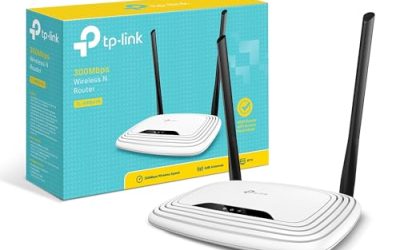
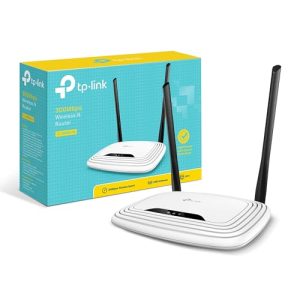
TP-Link Archer AX21
- Best for: A first Wi-Fi 6 upgrade in a flat or small house with one main TV.
- Wi-Fi 6 dual-band with AX1800 speeds, up to 1200 Mbps on 5 GHz and 574 Mbps on 2.4 GHz
- Four gigabit LAN ports and one gigabit WAN port
- Four fixed high-gain antennas with beamforming
- OFDMA and MU-MIMO for several devices at once
A first Wi-Fi 6 upgrade in a flat or small house with one main TV.
It has no 6 GHz band and needs a separate modem, so check the modem setup before buying.
The Archer AX21 is the straightforward pick for a household that wants Wi-Fi 6 without paying for features it will never use. Its dual-band wireless reaches AX1800 speeds, which is ample for 4K streaming on one or two TVs, and the four gigabit LAN ports make wiring the TV simple. Setup runs through the Tether app, and the router supports EasyMesh, so a second compatible unit can extend coverage later. It fits a flat or a small house where the TV sits within a room or two of the router.
Watch out for: It has no 6 GHz band and needs a separate modem, so check the modem setup before buying.
TP-Link Archer AX55
- Best for: Households where two TVs or a TV and a console stream at the same time.
- Wi-Fi 6 dual-band with AX3000 speeds, up to 2402 Mbps on 5 GHz and 574 Mbps on 2.4 GHz
- 512 MB of memory and four high-performance antennas
- Four gigabit LAN ports, one gigabit WAN port and one USB 3.0 port
- HomeShield security with parental controls
Households where two TVs or a TV and a console stream at the same time.
The 2.5 Gbps port is absent, so a multi-gigabit plan will not reach full speed through this router.
The Archer AX55 steps up to AX3000 speeds, which gives a household more room when two TVs stream at once or a 4K film runs beside a video game download. Its 5 GHz band reaches 2402 Mbps, and the USB 3.0 port can share a drive across the network. HomeShield adds network protection and parental controls, while VPN client and server support suit households that work from home. The four antennas and beamforming push a strong signal through a typical living room and into nearby rooms.
Watch out for: The 2.5 Gbps port is absent, so a multi-gigabit plan will not reach full speed through this router.
ASUS RT-AX3000
The RT-AX3000, also sold as the RT-AX58U, is the pick for a living room where the TV shares the network with gaming and video calls. Adaptive QoS lets the router favour gaming or streaming traffic, and AiProtection Pro provides lifetime network security without a subscription. Its 160 MHz channels widen the 5 GHz band for faster transfers, and AiMesh support means a second ASUS router can join later to cover a larger home. Four gigabit LAN ports and a USB 3.0 port cover wired devices and shared storage.
Specs
- Wi-Fi 6 dual-band with AX3000 speeds, up to 2402 Mbps on 5 GHz and 574 Mbps on 2.4 GHz
- 160 MHz channel support on the 5 GHz band
- Four gigabit LAN ports, one gigabit WAN port and one USB 3.0 port
- AiMesh compatible for whole-home coverage
- AiProtection Pro lifetime security and Adaptive QoS
Best for: A busy living room where the TV, a console and work laptops share one connection.
Watch out for: Check the model number on the box, since the later RT-AX3000S variant uses different internal hardware.
Amazon eero 6+
- Best for: A TV in a far room or a larger home where one router cannot reach every screen.
- Wi-Fi 6 dual-band with AX3000 speeds and 160 MHz client support
- Coverage up to 1,500 square feet and 75 or more devices
- Supports internet plans up to a gigabit
- Two auto-sensing gigabit Ethernet ports per unit
A TV in a far room or a larger home where one router cannot reach every screen.
Advanced features such as extra parental controls need a paid eero Plus subscription.
The eero 6+ is the mesh answer for a TV that sits far from the modem, in a room where a single router always drops a bar or two. One unit covers up to 1,500 square feet and connects more than 75 devices, and adding a second unit extends the mesh without a new network name or password. Setup runs through the eero app in minutes, and the built-in Zigbee hub connects smart home devices directly. Two gigabit Ethernet ports let the TV or a streaming box connect by cable to the nearest node.
Watch out for: Advanced features such as extra parental controls need a paid eero Plus subscription.
Which One Fits Your Situation
One TV in a flat or small house
Choose the TP-Link Archer AX21 and wire the TV to one of its gigabit ports. Its AX1800 wireless is ample for a single 4K stream, and the low profile of the feature set keeps setup simple. Put the router in the open near the TV, enable the 5 GHz band for the screen, and the picture should hold steady through the evening.
Two TVs streaming at once
Choose the TP-Link Archer AX55, whose AX3000 speeds and stronger 5 GHz band give two simultaneous streams room to breathe. Use the USB 3.0 port for shared media if the household keeps films on a drive, and turn on HomeShield controls to keep children’s viewing hours in check. Place the router centrally so both rooms get a strong signal.
A TV beside a gaming setup
Choose the ASUS RT-AX3000 and turn on Adaptive QoS so streaming and gaming traffic get priority over background downloads. Its AiProtection Pro security runs without a subscription, and the AiMesh option leaves room to add coverage later. Wire the console and the TV, then let the wireless handle phones and tablets.
A TV far from the modem
Choose the Amazon eero 6+ and place one node near the TV, connected to the screen by cable if possible. The mesh hands the TV to the strongest node automatically, and the app shows signal strength per device so a weak spot is easy to find. Add a second node only if the first still leaves a dead corner.
Common Mistakes
- Buying a router rated far above the internet plan and expecting the TV picture to improve on its own.
- Hiding the router inside a cabinet or behind the TV, where the signal is blocked before it leaves the room.
- Connecting the TV to the crowded 2.4 GHz band when the faster 5 GHz band is available and in range.
- Forgetting that every smart speaker, camera and bulb counts toward the number of devices the router must serve.
- Skipping the firmware update after setup, which can leave performance and security fixes uninstalled.
Frequently Asked Questions
Does a smart TV need a special router?
No, any modern router works with a smart TV, but a Wi-Fi 6 router with a strong 5 GHz band handles 4K streams more reliably. The TV connects like any other device, so the router choice matters more than the TV brand. Wired Ethernet gives the steadiest result when a cable run is practical.
Is Wi-Fi or Ethernet better for a smart TV?
Ethernet is better because a cable avoids interference, wall loss and neighbour congestion entirely. Wi-Fi is fine when the router sits close to the TV and the 5 GHz band is strong. If the picture buffers often on Wi-Fi, try a cable first before replacing the router.
How much speed does 4K streaming need?
A single 4K stream typically needs a steady 25 Mbps, so most broadband plans have enough raw speed. The problem is usually consistency, not the headline number. A router with good traffic controls and a strong 5 GHz signal keeps that stream steady while other devices use the network.
Can a mesh system help a buffering TV?
Yes, a mesh node placed near the TV gives the screen a short, strong wireless hop instead of a long weak one. The TV can also connect by cable to the nearby node. Check the app signal reading after setup, and move the node closer to the TV if the reading is weak.
FAQ
Does a smart TV need a special router?
Is Wi-Fi or Ethernet better for a smart TV?
How much speed does 4K streaming need?
Can a mesh system help a buffering TV?
More from Amazon
Programs that pair well with the guide above. Offers and eligibility are set by Amazon and may change.
Free shipping on eligible items, Prime Video and more. Eligible new members can start with a free trial.
Start a Prime free trialAd-free music streaming. Eligible new subscribers can start with a free trial.
Try Music Unlimited freeA Prime membership for ages 18-24 with a trial period. Eligibility is set by Amazon.
See Prime for Young AdultsAudiobooks and podcasts to listen to on the go. Eligible new members can start with a free trial.
Try Audible freeAs an Amazon Associate we earn from qualifying purchases.