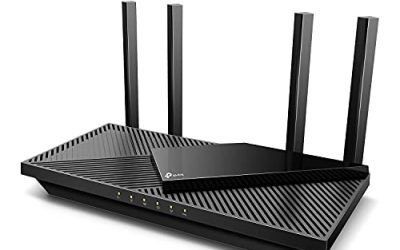
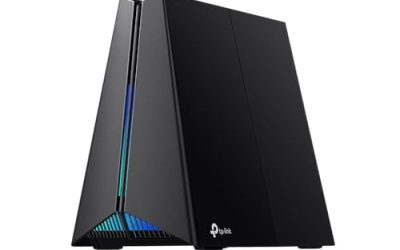
Our Short List of 3
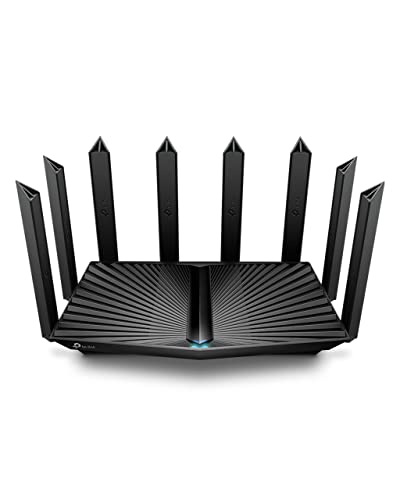
- Best for: Strongest stated class here plus a fast wired port
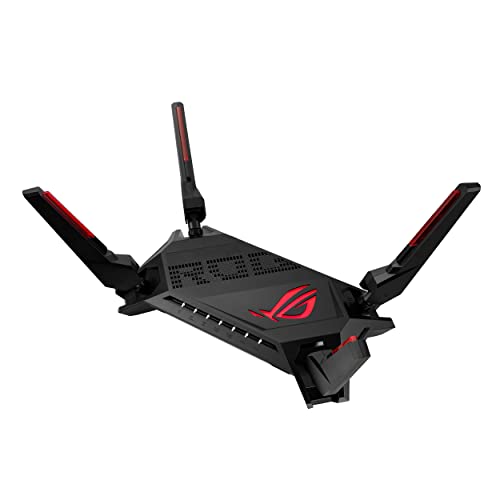
- Best for: Maximum wireless capacity and gaming
All 3 Picks at a Glance
| Product | Specs | Action |
|---|---|---|
| TP-Link Archer AX80 |
| Check price on Amazon |
 ASUS RT-AX86U Pro |
| Check price on Amazon |
| ASUS ROG Rapture GT-AX6000 |
| Check price on Amazon |
Our Top Picks
As an Amazon Associate we earn from qualifying purchases.
A high-power WiFi router is not just a faster router. It is a router built to push its signal farther: a stronger radio, high-gain external antennas, and a front-end module that lifts transmit power so the signal holds up through walls, across floors, and into the far rooms where a standard router fades out. The five routers in this guide all earn their place on that basis, and all five are sold as single standalone routers, not mesh kits.
High power needs a definition before the picks make sense. In this guide it means a router whose maker states high-power or high-gain antennas, a high-power front-end module, or a coverage figure aimed at large homes, backed by a Wi-Fi 6 radio and enough wired ports for a busy desk. Every pick here meets that bar. What differs is how each one spends its radio budget.
One honest note first: a high-power router cannot beat physics. Walls, floors, and metal objects still cut a signal down, and a router can only transmit as strongly as the regulations for its region allow. What a high-power design buys is a stronger starting signal and better antennas to shape it, so more of it survives the trip to the far bedroom. These picks earn their place in a large home, a multi-floor house, or a flat with thick walls, not in a small studio where any modern router already covers every corner.
Quick picks
| Router | Best for | Wireless | Antennas |
|---|---|---|---|
| TP-Link Archer AX72 | Large homes on a mid-range budget | AX5400 dual-band Wi-Fi 6 | 6 high-power antennas |
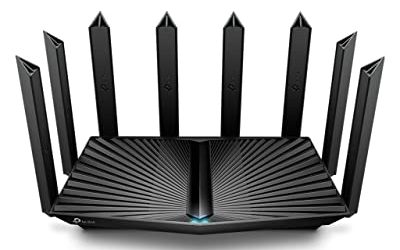
| TP-Link Archer AX80 | Strongest stated class here plus a fast wired port | AX6000 dual-band Wi-Fi 6 | 8 high-gain antennas |
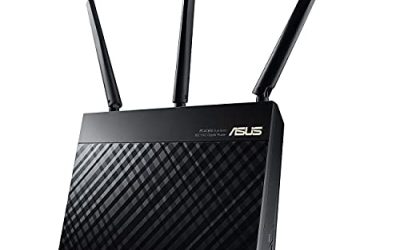
| ASUS RT-AX86U Pro | Gaming and range in one box | AX5700 dual-band Wi-Fi 6 | 4 external antennas, RangeBoost Plus |
| ASUS ROG Rapture GT-AX6000 | Maximum wireless capacity and gaming | AX6000 dual-band Wi-Fi 6 | 8 external antennas, RangeBoost Plus |
| NETGEAR Nighthawk RAX120 | Very large homes and heavy device loads | AX6000 12-stream Wi-Fi 6 | 8 high-performance antennas |
Disclosure: This article contains affiliate links. If you buy through a link on this page, we may earn a commission.
What makes a router high power
Transmit power and the front-end module. The radio inside a router sends its signal through a front-end module, and a high-power front-end module lifts the signal before it reaches the antennas. TP-Link states exactly this on the Archer AX72: a High-Power FEM improves transmission power to strengthen signal coverage. It is the clearest maker-stated marker of a high-power design, and it is worth looking for by name on the listing before ordering.
High-gain antennas. Gain measures how well an antenna focuses a signal in a direction instead of spreading it evenly. A high-gain antenna reaches farther in its favored direction, which is why the routers in this guide carry six or eight external antennas rather than two or four. Count the antennas and check whether the listing calls them high-gain or high-power: the Archer AX80 states eight high-gain antennas equipped with beamforming, and the Nighthawk RAX120 states eight high-performance antennas that amplify Wi-Fi signals for maximized range.
Beamforming. A router with beamforming concentrates its wireless strength toward the devices connected to it instead of broadcasting evenly in every direction. It is a signal-focusing feature, not a separate radio, and it works best when paired with strong antennas. Several picks here state beamforming in their own listing fields, and it is one of the reasons a high-power router can hold a usable signal in a far room where a plain router drops the connection.
Streams and wireless class. The class figure, such as AX5400 or AX6000, is the combined theoretical rate across bands, not a speed any one device will see. It still orders the line honestly: more streams mean more capacity for simultaneous devices, and the 12-stream RAX120 carries the most here. Match the class to the number of devices in the house, not to the fastest internet plan on paper.
Wired ports and mesh growth. A strong wireless signal still needs a wired backbone for the desk. The AX80 alone in this group carries a 2.5 Gbps WAN and LAN port, which matters if a wired desktop or a fast fibre feed will ever use it. OneMesh on the two TP-Link picks and AiMesh on the two ASUS picks describe extension systems within each brand, so a buyer planning to add a satellite later should pick the router whose stated system they intend to grow.
How to choose
Match the router to the house first. A single-floor flat with thin walls suits any of these routers, while a large or multi-floor home needs the coverage-first picks: the AX72, the AX80, and the RAX120 all state their range case in the listing. Measure the distance to the farthest room and count the walls between it and the router spot before choosing.
Next, count the devices. A house with dozens of phones, laptops, consoles, and smart home gadgets needs streams and a processor that can keep up. The RAX120 runs a quad-core processor with 12 streams, and the GT-AX6000 runs a quad-core processor with a dedicated gaming port. A smaller household can save money on a lower class without losing range, because range comes from the antennas and the front-end module, not from the class figure.
Then think about the bands. The 5 GHz band is the fastest band on a Wi-Fi 6 router and also the shortest-range one, so it shines in the same room as the router and fades faster through walls than 2.4 GHz. A high-power router helps both bands, but the 2.4 GHz band still reaches farther through walls, and devices in the far rooms will often sit on it. That is normal, and it is why the picks here are judged on both bands rather than on the 5 GHz figure alone.
TP-Link Archer AX72
Best for: Large homes on a mid-range budget
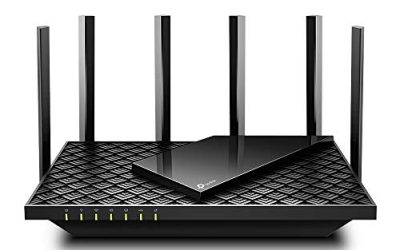
The Archer AX72 is the range-led pick of this group, and it carries the clearest high-power marker in the guide. TP-Link states a High-Power FEM on the product page, which improves transmission power to strengthen signal coverage, and the listing pairs it with six high-power antennas plus beamforming. Around that basis the listing states an AX5400 dual-band Wi-Fi 6 class, a dual-core CPU, OneMesh support for extending coverage with compatible units, and TP-Link HomeShield. For a larger home where the far rooms are the problem, this is the pick whose stated facts aim squarely at distance.
The AX5400 class splits into 4804 Mbps on the 5 GHz band and 574 Mbps on the 2.4 GHz band, with a 4T4R structure on the 5 GHz band that strengthens fault tolerance in transmission. Multiple antennas form a signal-boosting array to cover more directions and large areas, and beamforming concentrates wireless signal strength toward clients to expand Wi-Fi range. The wired side is gigabit throughout, with a USB 3.0 port for shared storage, and the router is rated for three-bedroom houses in the maker material.
Watch out for: Confirm the live listing still names the High-Power FEM and the six high-power antennas: TP-Link revises spec tables across hardware revisions, and this pick’s basis is those stated fields. The Archer AX72 Pro is a different model with a 2.5 Gbps port and its own listing; do not confuse the two when ordering.
TP-Link Archer AX80
- Best for: Strongest stated class here plus a fast wired port
Strongest stated class here plus a fast wired port
The AX80 and the original Archer AX6000 share an AX6000 class and an eight-antenna layout, and the two model names are easy to confuse. The AX80 is the newer model with the 2.5 Gbps port; confirm the model name on the listing you open before ordering.
The Archer AX80 carries its high-power claim in the most visible place a listing can put it: the copy states eight high-gain antennas equipped with beamforming to ensure vast coverage. Its stated class is AX6000 dual-band Wi-Fi 6, a step above the AX72, and it adds the group’s only 2.5 Gbps WAN and LAN port for a fast wired feed or a main desk. OneMesh and WPA3 complete the stated feature set, and the router is built for 8K streaming workloads in the maker’s positioning.
Eight antennas give the AX80 more directions to shape its signal than any other TP-Link pick here, and the beamforming basis is stated alongside the antenna count rather than buried in a spec field. The dual-band Wi-Fi 6 radio runs the same generation as the AX72, so the difference between the two is range hardware and wired speed rather than wireless generation. A buyer who wants the strongest stated TP-Link class in this guide and a 2.5 Gbps port for a wired desk gets both here in one box.
Watch out for: The AX80 and the original Archer AX6000 share an AX6000 class and an eight-antenna layout, and the two model names are easy to confuse. The AX80 is the newer model with the 2.5 Gbps port; confirm the model name on the listing you open before ordering.
ASUS RT-AX86U Pro
Gaming and range in one box
The RT-AX86U Pro and the older RT-AX86U are different models with different listings, and the Pro is the one with the 2.5 Gbps port and the newer radio layout. Confirm the Pro name on the listing before ordering, and note that a Renewed listing for this model also appears on Amazon, so confirm the listing you open is the new unit.
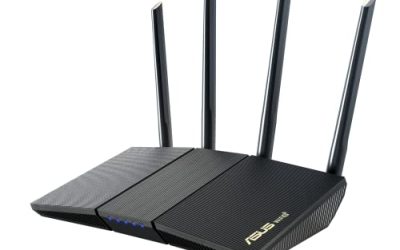
The RT-AX86U Pro is the gaming-led pick of this group, and it earns its place on range hardware rather than on raw class. ASUS states RangeBoost Plus on this model, a combination of a high-power front-end design and antenna tuning that lifts the signal for devices at the edge of coverage. The listing states an AX5700 dual-band Wi-Fi 6 class, four external antennas, a 2.5 Gbps port, and a dedicated gaming port that gives a wired console or PC a fast lane into the router.
The gaming features are the reason to pick this router over the TP-Link pair. Adaptive QoS prioritizes game traffic, and the dedicated gaming port removes the guesswork of which wired device gets priority. AiProtection Pro covers security for the life of the router with no subscription, and AiMesh lets the router join a wider ASUS mesh later if the house outgrows a single box. The processor is a quad-core unit with enough headroom for a busy home network.
Watch out for: The RT-AX86U Pro and the older RT-AX86U are different models with different listings, and the Pro is the one with the 2.5 Gbps port and the newer radio layout. Confirm the Pro name on the listing before ordering, and note that a Renewed listing for this model also appears on Amazon, so confirm the listing you open is the new unit.
ASUS ROG Rapture GT-AX6000
Maximum wireless capacity and gaming
The combined AX6000 figure is a total across both bands; no single device reaches it. The GT-AX6000 and the GT-AX11000 are different models with different classes and antenna layouts, so confirm the model name on the listing before ordering.
The GT-AX6000 is the capacity-led pick of this group. It is a dual-band Wi-Fi 6 router with an AX6000 class, eight external antennas, and RangeBoost Plus, the same high-power front-end approach as the RT-AX86U Pro, scaled up to a larger antenna array. A quad-core 2.0 GHz processor runs the setup, with dual 2.5 Gbps ports and a dedicated gaming port, and the ROG styling marks it as a gaming router from the box outward.
Eight antennas give the GT-AX6000 more signal-shaping hardware than any other ASUS pick here, and the dual 2.5 Gbps ports mean a wired server and a multi-gig modem can both run at full speed at once. Triple-level game acceleration prioritizes game traffic from the device to the game server, and AiProtection Pro covers security for the life of the router with no subscription. For a large home with a gaming PC, a console, and a crowded device list, this is the pick whose hardware budget is spent most visibly on range and capacity together.
Watch out for: The combined AX6000 figure is a total across both bands; no single device reaches it. The GT-AX6000 and the GT-AX11000 are different models with different classes and antenna layouts, so confirm the model name on the listing before ordering.
NETGEAR Nighthawk RAX120
Best for: Very large homes and heavy device loads
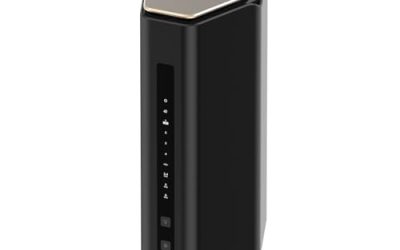
The Nighthawk RAX120 is the coverage-led pick of this group, and it carries the biggest coverage claim in the guide. NETGEAR rates it for homes up to 3,500 square feet and up to 30 devices, and the listing backs that with eight high-performance antennas that amplify Wi-Fi signals for maximized range and reliable coverage. The radio is a 12-stream dual-band Wi-Fi 6 design with an AX6000 class, and a 64-bit 2.2 GHz quad-core processor powers the setup.
The 12-stream layout is what sets the RAX120 apart from the other picks here. Eight streams on the 5 GHz band and four on the 2.4 GHz band give the router more simultaneous capacity than any other model in this guide, and OFDMA and MU-MIMO keep a crowded device list moving. A 5G multi-gig port, the first on a home router of its generation, gives the wired side a fast lane for a multi-gig modem, and NETGEAR Armor covers security with a trial period.
Watch out for: The RAX120 is an older Wi-Fi 6 flagship, and a Renewed listing under a different code also appears on Amazon, so confirm the listing you open is the new unit with the RAX120-100NAS model number. The coverage figure is a maker claim for open space; walls and floors cut it down in a real house.
High power versus mesh
A high-power router and a mesh system solve the same problem in different ways, and the choice matters. A high-power router pushes one strong signal from one box, which suits a house where the router sits near the centre and the far rooms are one or two walls away. A mesh system places several smaller nodes around the house, which suits a long house, a multi-floor home with thick floors, or a layout where one box cannot see every room at all.
The picks in this guide all support growing into a mesh later: OneMesh on the TP-Link pair, AiMesh on the ASUS pair, and NETGEAR’s own mesh-compatible layout on the RAX120. That matters because a buyer can start with one strong box and add a satellite only if the far rooms still need it, rather than buying a whole mesh kit up front. If the house already has dead zones that no single router has ever reached, start with mesh instead and use this guide to pick the main node.
Placement still matters
No high-power router fixes a bad spot. A router hidden in a cabinet, behind a television, or on the floor loses signal before the antennas ever get a chance to shape it. Place the router in the open, at chest height or higher, near the centre of the home, away from large metal objects and thick masonry. Point the external antennas in different directions: a mix of vertical and angled positions covers more of the house than a row of antennas all pointing the same way.
The 2.4 GHz band reaches farther than 5 GHz through walls, so devices in the far rooms will often sit on 2.4 GHz. That is normal, and it is not a fault in the router. If a far device needs more speed than 2.4 GHz can give, move the router closer to the centre, add a satellite from the same brand’s mesh system, or run a wired connection to that room and place an access point there.
Frequently asked questions
Does a high-power router use more electricity? A stronger radio and a faster processor draw more power than a basic router, but the difference is small next to a television or a gaming PC. The front-end module lifts the signal only while transmitting, and the router idles at a lower draw when the house is quiet.
Will a high-power router help if my internet plan is slow? No. A router cannot deliver more speed than the plan coming into the house. What a high-power router does is deliver the plan’s speed more cleanly, to more rooms, with fewer dropouts under load. If the plan itself is the bottleneck, the router is not the fix.
Are high-gain antennas the same as more antennas? No. Gain measures how well one antenna focuses a signal, while the antenna count measures how many directions the router can shape at once. A router with eight high-gain antennas has both advantages, which is why the AX80 and the GT-AX6000 sit at the top of this guide on range hardware.
Do I need Wi-Fi 6 for a high-power router? Not strictly, but every pick here is Wi-Fi 6 because that is the generation where high-power front-end modules and beamforming are stated most consistently in listings. An older router with strong antennas can still reach far, but it will lack the capacity features that keep a crowded modern home moving.
Can I add external antennas to a router that has none? Only if the router has detachable antennas with standard connectors. None of the picks here needs it: all five carry their antenna arrays built in, and the RAX120 hides its eight antennas inside the chassis. Do not open a router to fit third-party antennas unless the maker states that the model supports it.
More from Amazon
Programs that pair well with the guide above. Offers and eligibility are set by Amazon and may change.
Free shipping on eligible items, Prime Video and more. Eligible new members can start with a free trial.
Start a Prime free trialAd-free music streaming. Eligible new subscribers can start with a free trial.
Try Music Unlimited freeA Prime membership for ages 18-24 with a trial period. Eligibility is set by Amazon.
See Prime for Young AdultsAudiobooks and podcasts to listen to on the go. Eligible new members can start with a free trial.
Try Audible freeAs an Amazon Associate we earn from qualifying purchases.