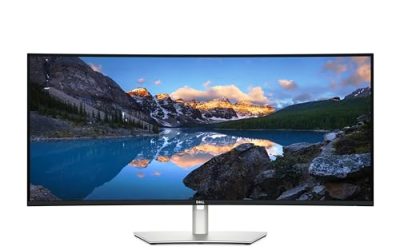
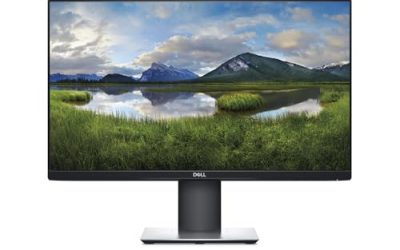
Our Short List of 3

- Best for: Laptop owners who want smoother scrolling and a modern 4K panel on one cable.
- 27-inch 4K UHD (3840 x 2160) IPS panel
- 120Hz refresh rate with AMD FreeSync Premium
- USB-C with up to 65W power delivery
- 99 percent sRGB color coverage

- Best for: Heavier laptops that need strong single-cable charging at a fair specification.
- 27-inch 4K UHD (3840 x 2160) IPS panel
- 60Hz refresh rate, 5ms response time
- USB Type-C with up to 90W power delivery
- 95 percent DCI-P3 color gamut

- Best for: Photo and video editing from a laptop, where color accuracy matters.
- 27-inch 4K UHD (3840 x 2160) IPS panel
- 99 percent DCI-P3 and 99 percent Adobe RGB
- Color accuracy Delta E under 2, Calman Verified
- USB-C with 96W power delivery
All 3 Picks at a Glance
| Product | Specs | Action |
|---|---|---|
| Dell 27 Plus 4K USB-C Monitor S2725QC |
| Check price on Amazon |
| LG 27UP850K-W |
| Check price on Amazon |
| ASUS ProArt Display PA279CRV |
| Check price on Amazon |
Our Top Picks
A laptop screen is fine for an hour, but a full workday of documents, spreadsheets, and video calls calls for more room. An external monitor turns a laptop into a proper desk setup: a larger canvas for side-by-side windows, sharper text that stays comfortable to read, and a single cable that can carry the picture and charge the machine at the same time.
The three monitors below were chosen for laptop work first. Each one connects over USB-C, shows crisp 4K text, and stands on an adjustable base that lets you line the screen up with your laptop. One adds a smoother 120Hz panel, one charges heavier laptops with more power, and one is built for color-critical work, so the right pick depends on how your workday looks.
Quick Picks
As an Amazon Associate we earn from qualifying purchases
| Product | Best for | Key spec from title |
|---|---|---|
| Dell 27 Plus 4K USB-C Monitor S2725QC | Smoother scrolling and a modern 4K panel | 27-inch 4K 120Hz, USB-C 65W |
| LG 27UP850K-W | Strong charging for heavier laptops | 27-inch 4K IPS, USB-C 90W PD |
| ASUS ProArt Display PA279CRV | Color-critical photo and video work | 27-inch 4K IPS, USB-C 96W PD |
How to Choose
Match USB-C charging to your laptop
A monitor that charges your laptop over USB-C turns one cable into your whole desk connection, but only when the wattage fits the machine. Thin-and-light laptops usually run happily on 65W, which covers the Dell S2725QC, while larger laptops with discrete graphics often ask for 90W or more and will slowly lose charge on a weaker port. Check your laptop charger rating before you choose, and treat the monitor’s USB-C wattage as a hard limit rather than a suggestion. A mismatch does not damage anything, yet a battery that drains through the afternoon defeats the point of a tidy single-cable desk.
Pick 4K at 27 inches for sharp text
Resolution matters more for work than for play, because text is what you look at all day. A 27-inch 4K panel packs about 163 pixels per inch, so letters keep clean edges even at small sizes and long documents stay easy on the eyes. A 1080p panel at the same size spreads far fewer pixels across the screen, which makes text look soft and forces you to sit closer. The 1440p middle ground is usable, but once you compare it beside 4K the difference in text clarity is plain to see. If your workday is mostly reading and writing, treat 4K as the baseline, not a luxury.
Check the stand before you buy
An adjustable stand decides whether a monitor fits your body or fights it. Height adjustment lets you raise the screen so the top edge sits near eye level, which keeps your neck neutral through long sessions, while tilt and swivel let you angle the panel away from window glare. Pivot matters when you read long documents, since a vertical screen shows more lines at once and pairs well beside a laptop. All three monitors here adjust height, tilt, and pivot, yet the range differs, so measure your desk and chair height before ordering. A fixed stand can be fixed later with an arm, but that adds cost and clutter to a setup that should stay simple.
Look past the panel at the ports
A laptop monitor earns its place by the connections around the screen, not only the picture on it. Two HDMI ports let you keep a second machine or a streaming stick attached without swapping cables, while DisplayPort covers desktop towers and daisy-chaining a second screen from one output. A built-in USB hub turns the monitor into a dock for a keyboard, mouse, and headset, so the desk stays clear of extra boxes. Integrated speakers handle video calls without extra hardware, though they will never match dedicated speakers for music. Before you settle on a model, list the devices that will plug into it and confirm each one has a port waiting.
The 3 Best Options
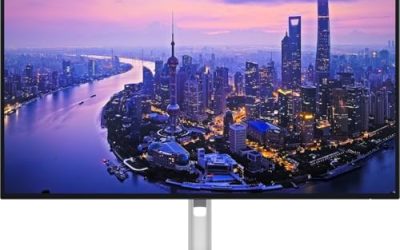
Dell 27 Plus 4K USB-C Monitor S2725QC
- Best for: Laptop owners who want smoother scrolling and a modern 4K panel on one cable.
- 27-inch 4K UHD (3840 x 2160) IPS panel
- 120Hz refresh rate with AMD FreeSync Premium
- USB-C with up to 65W power delivery
- 99 percent sRGB color coverage
Laptop owners who want smoother scrolling and a modern 4K panel on one cable.
65W charging may not keep up with larger laptops that need more power.
The S2725QC is the most modern screen in this group, pairing a 27-inch 4K panel with a 120Hz refresh rate that makes scrolling through long documents and web pages feel noticeably smoother. Its USB-C port carries video and up to 65W of charging, which suits thin-and-light laptops, while two HDMI ports and DisplayPort cover a second machine. The IPS panel covers 99 percent of sRGB, the stand adjusts in every direction, and built-in speakers handle calls without extra hardware on the desk.
LG 27UP850K-W
- Best for: Heavier laptops that need strong single-cable charging at a fair specification.
- 27-inch 4K UHD (3840 x 2160) IPS panel
- 60Hz refresh rate, 5ms response time
- USB Type-C with up to 90W power delivery
- 95 percent DCI-P3 color gamut
Heavier laptops that need strong single-cable charging at a fair specification.
60Hz refresh rate feels less smooth than 120Hz panels when scrolling.
The 27UP850K-W is the value pick of the three, a 27-inch 4K IPS monitor whose USB-C port delivers up to 90W, enough to charge heavier laptops that weaker ports leave draining. Its panel covers 95 percent of DCI-P3 and carries VESA DisplayHDR 400, so colors stay rich for photo work as well as documents. A built-in speaker handles calls, the stand adjusts height, pivot, and tilt, and HDMI and DisplayPort inputs cover a second machine when the laptop leaves the desk.
ASUS ProArt Display PA279CRV
- Best for: Photo and video editing from a laptop, where color accuracy matters.
- 27-inch 4K UHD (3840 x 2160) IPS panel
- 99 percent DCI-P3 and 99 percent Adobe RGB
- Color accuracy Delta E under 2, Calman Verified
- USB-C with 96W power delivery
Photo and video editing from a laptop, where color accuracy matters.
60Hz refresh rate; check that your laptop supports DisplayPort over USB-C.
The PA279CRV is built for color-critical laptop work, with a 27-inch 4K IPS panel that covers 99 percent of DCI-P3 and 99 percent of Adobe RGB at a color accuracy of Delta E under 2, verified by Calman. Its USB-C port delivers up to 96W, the strongest charging here, and DisplayPort daisy-chaining lets a second screen run from one output. The ergonomic stand adjusts to fit long editing sessions, and the panel carries VESA DisplayHDR 400 for bright, detailed images.
Which One Fits Your Situation
You work mostly in documents and email
The LG 27UP850K-W fits this desk best. Its 4K panel keeps text sharp through long reading sessions, the 90W USB-C port charges most laptops with room to spare, and the built-in speaker covers calls without extra hardware. You give up the smoother 120Hz scrolling of the Dell, but for documents, spreadsheets, and email that trade is easy to accept.
You want the smoothest everyday screen
Pick the Dell S2725QC. Its 120Hz panel makes scrolling, dragging windows, and moving between apps feel fluid in a way 60Hz screens cannot match, and the 4K resolution keeps text crisp at the same time. The 65W USB-C charging suits thin-and-light laptops, so pair it with a heavier machine only when you accept slower charging during demanding work.
You edit photos or video from your laptop
The ASUS PA279CRV is the clear choice here. Its wide color coverage and verified accuracy mean the colors you see match the file you deliver, and the 96W USB-C port charges even demanding laptops while you work. Daisy-chaining adds a second screen later without another cable from the laptop, which keeps a growing editing desk tidy.
You switch between a laptop and a second machine
Choose the ASUS PA279CRV or the Dell S2725QC. Both carry extra HDMI and DisplayPort inputs, so a desktop or console can stay plugged in beside the laptop and take over the screen with a button press. The ASUS adds daisy-chaining for a two-screen desk, while the Dell adds the smoother 120Hz panel for everyday use.
Common Mistakes
- Buying a monitor with no USB-C charging and living with a tangle of cables on the desk.
- Choosing a 1080p panel at 27 inches and wondering why text looks soft.
- Ignoring the USB-C wattage, then watching the laptop battery drain through the afternoon.
- Skipping the stand check and ending up with a screen stuck at the wrong height.
- Sitting too far from a 4K screen and missing the sharpness you paid for.
Frequently Asked Questions
Do I need USB-C on a monitor for laptop work?
USB-C is not required, but it is the feature that makes a laptop desk simple. One cable carries the picture, charges the laptop, and can move data to the monitor hub, so the desk stays clear and docking takes seconds. Without it, you need a separate HDMI cable and a charger, which works fine yet adds clutter and one more step every time you sit down.
Is 4K worth it for office work?
For a 27-inch screen, yes. The extra pixels sharpen text, thin lines in spreadsheets, and small interface details, which reduces eye strain across a long day. A 1080p panel at this size looks soft by comparison, and a 1440p panel sits in between. Laptops also scale 4K cleanly, so windows and fonts stay readable without fiddly settings.
Can one monitor charge my laptop?
Yes, when the monitor USB-C port delivers enough watts for the machine. Thin-and-light laptops usually need 65W, which the Dell S2725QC provides, while larger laptops often need 90W or 96W, which the LG and ASUS models provide. Check the wattage on your laptop charger first, then match it against the monitor listing before you buy.
What size monitor works best with a laptop?
A 27-inch screen is the sweet spot for most laptop desks. It is large enough for two windows side by side without dominating a small desk, and at 4K it keeps text sharp. A 24-inch screen saves space but feels cramped for split-screen work, while a 32-inch or ultrawide screen suits bigger desks and heavy multitasking.
FAQ
Do I need USB-C on a monitor for laptop work?
Is 4K worth it for office work?
Can one monitor charge my laptop?
What size monitor works best with a laptop?
More from Amazon
Programs that pair well with the guide above. Offers and eligibility are set by Amazon and may change.
Free shipping on eligible items, Prime Video and more. Eligible new members can start with a free trial.
Start a Prime free trialAd-free music streaming. Eligible new subscribers can start with a free trial.
Try Music Unlimited freeA Prime membership for ages 18-24 with a trial period. Eligibility is set by Amazon.
See Prime for Young AdultsAudiobooks and podcasts to listen to on the go. Eligible new members can start with a free trial.
Try Audible freeAs an Amazon Associate we earn from qualifying purchases.